

PageSage
AI-powered browser extension that delivers quick answers from webpages with ease.
About PageSage
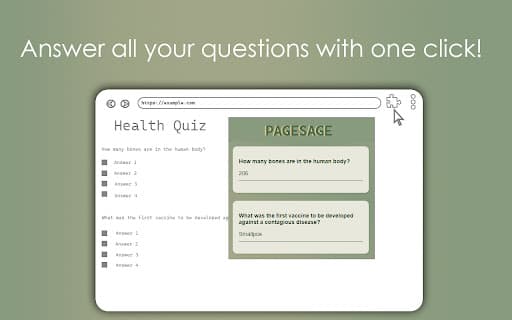
PageSage is an intelligent browser assistant that scans active web pages and provides instant answers in a user-friendly popup. Users can highlight questions, right-click, and select "Answer this question" to receive immediate responses. For multiple questions, clicking the extension icon generates answers for all questions detected on the page, streamlining information retrieval.
How to Use
Select a question on a webpage, right-click, and choose "Answer this question" to view the response in a popup. To answer multiple questions, simply click the extension icon for comprehensive results.
Features
- AI-driven question answering system
- Webpage content analysis
- Instant answer display via popup
Use Cases
- Getting quick answers while browsing
- Research assistance on webpages
- Learning and information gathering
- Efficient data extraction from online content
Best For
StudentsResearchersProfessionalsAnyone seeking rapid answers onlineEducatorsContent creators
Pros
- Simple right-click functionality for ease of use
- Instant answers displayed in a clear popup
- Supports answering multiple questions simultaneously
- Leverages AI to understand and respond accurately
Cons
- Response accuracy depends on AI model quality
- Possible inaccuracies due to GPT-based responses
- Compatibility issues on some websites
FAQs
How does PageSage operate?
PageSage scans the current webpage, uses AI to identify and answer questions, and presents the responses in a convenient popup.
Can I get answers to multiple questions at once?
Yes, clicking the extension icon generates answers for all questions detected on the webpage.
Are the answers always correct?
Since PageSage relies on GPT technology, some responses may contain inaccuracies or be less precise.
Does PageSage work on all websites?
The extension may have limitations on certain sites, but support is expected to improve with future updates.
Is PageSage easy to use?
Yes, simply right-click on a question and select "Answer this question" for quick responses.