

PhotoAlign Studio
AI-driven software designed for editing and aligning clinical photographs with precision.
About PhotoAlign Studio
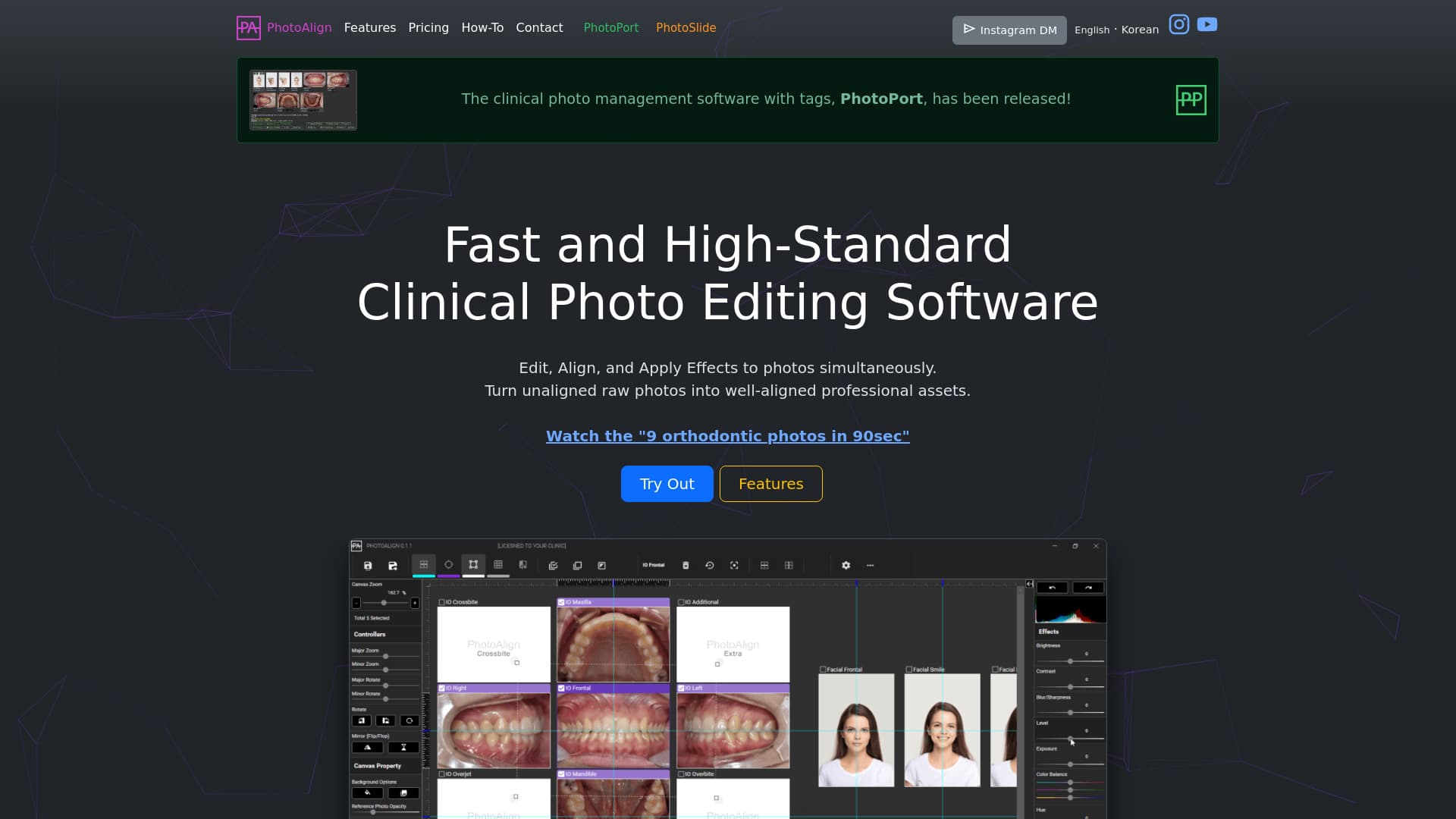
PhotoAlign offers advanced AI-powered tools for editing and standardizing clinical dental and orthodontic photos. Effortlessly rotate, resize, and align multiple images to ensure professional quality. The software includes PhotoPort for streamlined photo management and PhotoSlide for enhanced presentation capabilities, all within a user-friendly interface.
How to Use
Easily edit clinical images by rotating, resizing, and aligning them using PhotoAlign. Manage your photo collection with PhotoPort, utilizing tagging features for quick retrieval. Select templates, set reference images, and leverage AI tools for efficient photo placement and standardization.
Features
- Guides for accurate photo alignment
- Automation for pre-processing tasks
- Multiple templates tailored for various clinical images
- Precise rotation, resizing, and cropping tools
- Automatic saving at maximum resolution
- AI-driven automatic photo placement
- Toggle between original and edited versions
- Reference photo feature for superimposition
- Adjust brightness, contrast, and other image parameters
- Real-time photo import with LiveWatch
- Batch processing for multiple images simultaneously
Use Cases
- Preparing photos for professional presentations and publications
- Ensuring consistent clinical photos across dental practices
- Organizing and tagging images for easy access
- Standardizing orthodontic and dental photo sets
Best For
Pros
- User-friendly interface suitable for beginners
- Comprehensive features for precise photo editing and alignment
- Includes PhotoPort for efficient photo management
- AI automation accelerates repetitive tasks
- Enables batch editing for multiple images at once
- Enhances the quality and consistency of clinical visuals
Cons
- Compatible only with Windows operating system
- Subscription-based pricing model
- AI features currently support orthodontic intraoral and facial photos with specific orientations
- Requires an internet connection for activation and updates
Pricing Plans
Choose the perfect plan. All plans include 24/7 support.
Annual Subscription
Single-user license including PhotoAlign and PhotoPort. Paid annually upfront.
Get Started2+1 Subscription
Buy two licenses, get one free. Total of three licenses for $198 annually. Includes PhotoAlign and PhotoPort.
Get StartedMonthly Subscription
Single-user access for PhotoAlign and PhotoPort with monthly billing.
Get Started