

PI Prompts for ChatGPT, Gemini, Claude, Mistral & PI
A Chrome extension designed for efficient management and utilization of prompts across various AI platforms, streamlining your workflow.
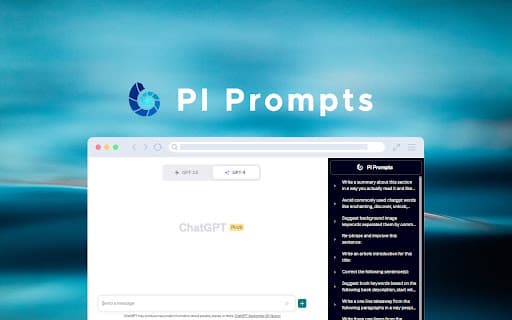
About PI Prompts for ChatGPT, Gemini, Claude, Mistral & PI
The 'PI Prompts' Chrome extension enhances your AI experience by simplifying prompt management for platforms like ChatGPT, Google Gemini, Claude.ai, Mistral, and Pi.ai. It eliminates repetitive copy-pasting by providing easy options to download, upload, and organize prompts in JSON format. Share your collections or create task-specific prompt sets effortlessly across devices.
How to Use
Install the PI Prompts Chrome extension. When typing in a supported AI platform, the extension displays relevant prompts in the sidebar. Click a prompt to insert it into the input box. Add new prompts using the provided button. Easily import and export prompt collections in JSON format to share or back up your prompts.
Features
- Filter and insert prompts seamlessly
- Manage your prompt library with add, edit, and delete options
- Synchronize prompts across multiple devices
- Import and export prompts using JSON files
- Supports both light and dark themes
- Quickly add prompts from any website with right-click
Use Cases
- Access and utilize pre-made prompts for diverse AI tasks on ChatGPT, Gemini, Claude.ai, Mistral, and Pi.ai
Best For
Pros
- User-friendly interface for easy prompt management
- Sync prompts effortlessly across devices
- Share prompt collections with others
- Integrates smoothly with multiple AI platforms
- Reduces time spent on manual copy-pasting
Cons
- Relies on the functionality of supported AI platforms
- May have a learning curve for new users
- Requires Google Chrome browser