

Pic to Text
A free online tool that extracts text from images using advanced OCR technology, making digitization quick and easy.
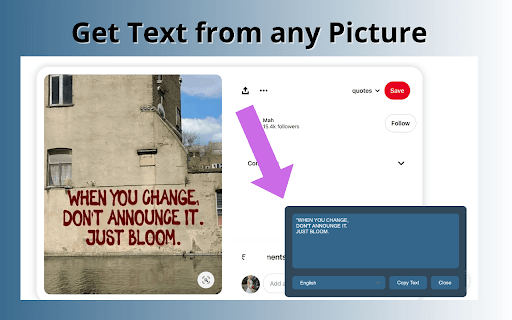
About Pic to Text
The Pic to Text Converter is an intuitive web-based application that enables users to extract editable text from images using OCR technology. Compatible with multiple image formats and languages, it offers a free, unlimited service for converting pictures into digital text efficiently and securely.
How to Use
Upload your image by clicking the 'Choose File' button or drag and drop it into the designated area. Click 'Extract Now' to start the OCR process. The extracted text appears on the screen, ready to copy, download, or share.
Features
- Supports multiple languages for accurate text recognition
- Free service with unlimited conversions
- Reliable OCR technology for precise results
- Easy sharing options for extracted text
- No software installation required
Use Cases
- Digitizing paper documents for organized data management
- Converting handwritten lecture notes into digital text for students
- Extracting text from images for quick data entry
- Translating text from images for international communication
Best For
Data entry professionalsVisually impaired usersStudents and educatorsResearchers and analystsLanguage translatorsArchivists and librarians
Pros
- High-precision text extraction with advanced OCR technology
- Accessible via any web browser, no installation needed
- Supports a broad range of image formats and languages
- Completely free with unlimited use
- Enhances accessibility for users with visual impairments
- Simple upload and extraction process for ease of use
Cons
- Results may vary based on image quality and handwriting clarity
- Free tier limits processing to 5 images per session
FAQs
Is this OCR tool free to use?
Yes, our online OCR service is completely free, with no subscription or hidden fees.
How many images can I process at once?
You can convert up to 5 images simultaneously for free. Premium plans are available for larger batch processing.
Is my data safe when using this tool?
Absolutely. All images and text are processed locally in your browser, ensuring your privacy. We do not store any user data.
Which image formats does the tool support?
It supports JPEG, PNG, BMP, TIFF, WEBP, SVG, and other common image formats.
Can it recognize handwritten text?
Yes, the tool can recognize and extract text from handwritten images with high accuracy.