

PromptSave: Discover, Save & Share Prompts
A powerful extension designed to help you save, organize, and reuse AI prompts across various AI platforms, streamlining your creative and productivity workflows.
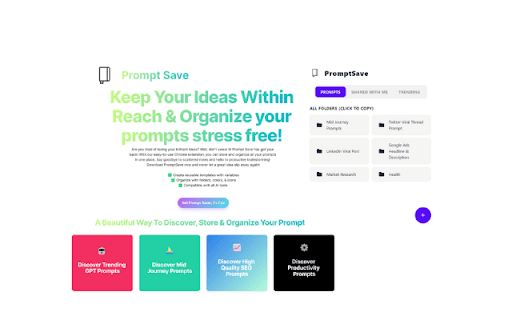
About PromptSave: Discover, Save & Share Prompts
This extension simplifies managing AI prompts by enabling users to save, organize, and reuse prompts for platforms like ChatGPT, Midjourney, and Stable Diffusion. Users can right-click to save prompts from any online source, create customizable templates with variables, and organize their prompts with folders, color coding, and icons. Designed for digital artists, copywriters, and productivity enthusiasts, it enhances efficiency and project organization.
How to Use
Right-click on any prompt online to save it directly into the extension. Create customizable templates with variables and organize prompts using folders, color labels, and icons for quick access.
Features
- Create customizable prompt templates with dynamic variables
- Save prompts directly from any website with a right-click
- Organize prompts using folders, colors, and icons
- Compatible with all major AI platforms
Use Cases
- Organizing frequently used prompts for consistent AI content creation
- Creating specialized templates for image or text generation tasks
- Collaborating with teams by sharing organized prompts
- Streamlining AI workflows for digital artists and writers
Best For
Pros
- Supports reusable templates with dynamic variables
- Organizes prompts efficiently with folders, colors, and icons
- Easily save prompts from any online source
- Works seamlessly with various AI tools
Cons
- Prompt Library feature is currently under development
- Prompt sharing capabilities are upcoming