

Quick Text-To-Image
A Chrome extension that transforms selected text into AI-generated images with ease.
About Quick Text-To-Image
Quick Text-to-Image is an innovative Chrome extension that enables users to instantly create images from selected text on any webpage. It streamlines visual content creation by converting words into stunning visuals with just a few clicks.
How to Use
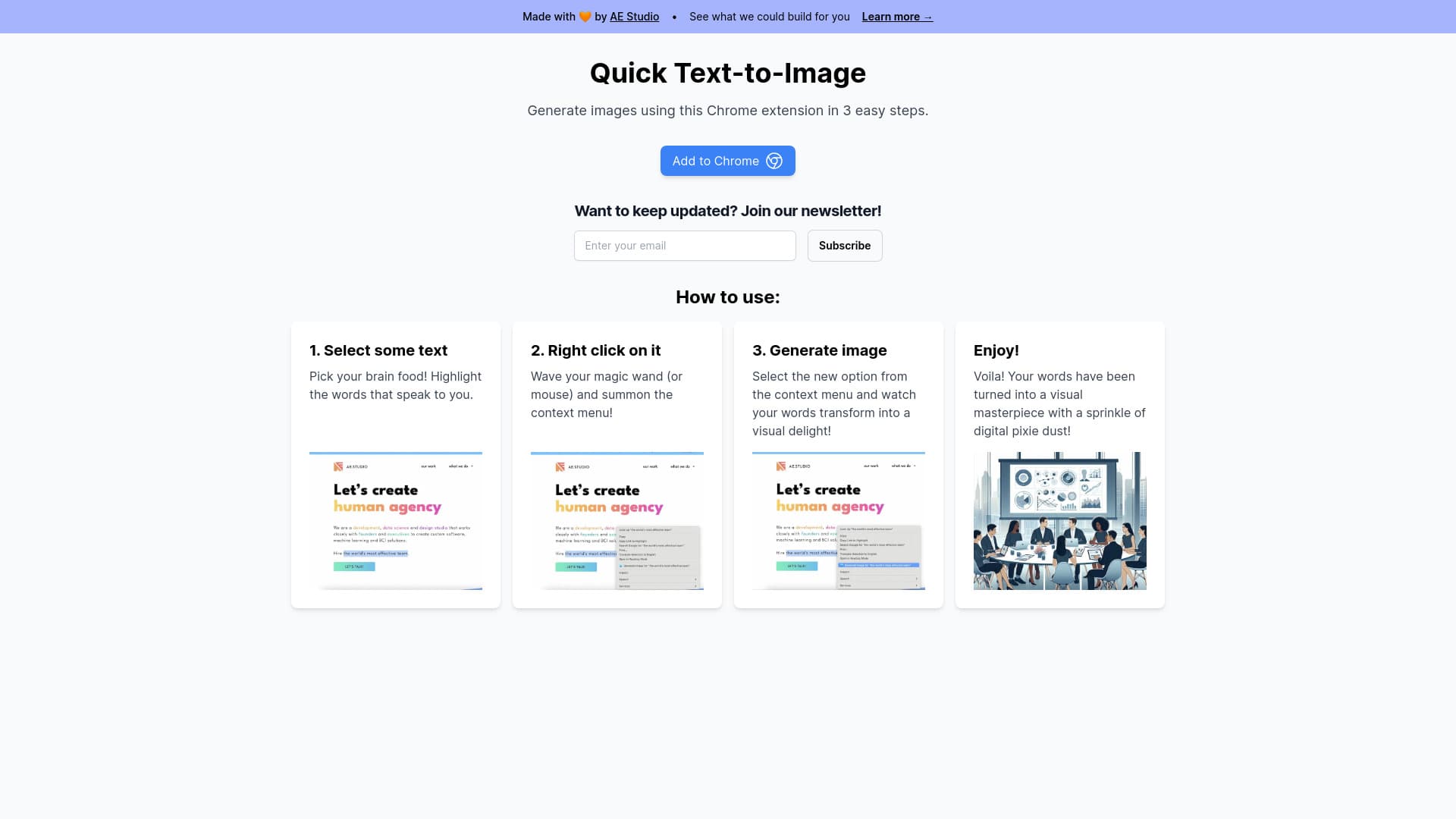
Highlight the desired text, right-click, and select 'Generate image' from the context menu to create an AI-powered visual instantly.
Features
- Simple three-step process for quick image creation
- Uses AI to convert text into high-quality images
- Seamless integration with Chrome’s right-click menu
Use Cases
- Creating visuals for blog articles
- Illustrating concepts or ideas
- Designing social media graphics
- Enhancing presentations with relevant images
Best For
Digital marketersContent creatorsEducators and studentsBloggers and writersSocial media managers
Pros
- Enables rapid image generation from text
- User-friendly and easy to operate
- Effortless Chrome browser integration
Cons
- Requires Google Chrome browser
- Image quality varies based on AI model
- Limited customization options with generated images
FAQs
How can I generate an image from text?
Select your desired text, right-click, and choose 'Generate image' from the context menu.
What are the system requirements for this extension?
You need Google Chrome and the Quick Text-to-Image extension installed on your browser.
Can I customize the generated images?
Customization options are limited; images are generated automatically based on the text provided.
Is this extension free to use?
Yes, the extension is free, with optional premium features available.
Does this extension work on other browsers?
No, it is specifically designed for Google Chrome and may not function on other browsers.