

Read Something
An AI-powered Chrome extension that improves web reading with reader mode, AI-generated summaries, and translation tools.
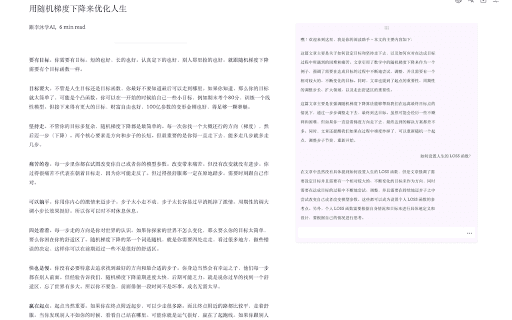
About Read Something
Read Something is an open-source Chrome extension that elevates your web browsing experience. It features customizable reader modes, AI-generated summaries, multi-language translation, and the ability to export content to Markdown. Designed to simplify reading, it offers tools similar to Safari’s reader mode, allowing adjustments to fonts, spacing, and layout for optimal comfort. Additional features include AI-powered summaries, interactive Q&A, and integrations with Google Translate, Tencent Translate, and OpenAI Translate.
How to Use
Download and install the Read Something Chrome extension from the Chrome Web Store. Activate it on any webpage to access reader mode, generate AI summaries, translate content, or export pages in Markdown format.
Features
- Export web pages as Markdown files
- Customizable reader mode for comfortable reading
- Supports translation via Google, Tencent, and OpenAI
- AI-generated summaries and interactive question-answering
Use Cases
- Translate web pages in multiple languages for better understanding
- Adjust font styles, line spacing, and layout for improved readability
- Create quick summaries of articles and long-form content
- Save web content in Markdown format for offline reading
Best For
Pros
- Supports multiple translation services for versatile language support
- Enables offline access by exporting content as Markdown files
- Includes numerous tools to enhance reading comfort
- Open-source and highly customizable
Cons
- Limited to Google Chrome browser
- Certain features may require in-app purchases
- AI summarization accuracy can vary depending on content
Pricing Plans
Choose the perfect plan. All plans include 24/7 support.
In-app purchases
Offers optional in-app purchases for additional features and functionalities.
Get Started