

Reverse image search by Copyseeker
Copyseeker Image Search offers powerful image search features through an easy right-click function, enhancing your browsing experience.
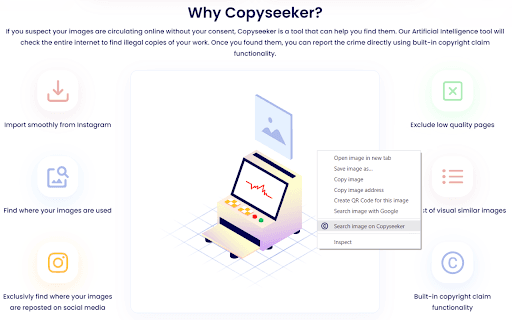
About Reverse image search by Copyseeker
Copyseeker Image Search is a versatile tool that streamlines image exploration. Simply right-click on any image and select "Search image on Copyseeker" to analyze it and uncover detailed insights effortlessly.
How to Use
Right-click any image on a webpage and choose "Search image on Copyseeker". The tool will analyze the image and display comprehensive information instantly.
Features
- Sophisticated image analysis capabilities
- Privacy-conscious image searching
- Quick and accurate search results
- Convenient right-click search function
Use Cases
- Tracing the origin of online images
- Finding visually similar images for inspiration
- Authenticating the legitimacy of images
Best For
Content creatorsStudents and researchersDigital marketersOnline shoppersVisual artists
Pros
- Offers detailed image analysis features
- Delivers rapid, precise search results
- Prioritizes user privacy by not storing images
- Simple, user-friendly right-click interface
Cons
- Limited to image search and analysis features
- Requires installation of the Copyseeker extension
FAQs
How can I use Copyseeker Image Search?
Right-click any image on a webpage and select "Search image on Copyseeker" to analyze it and view detailed insights.
Is Copyseeker Image Search safe and privacy-friendly?
Yes, it does not store or share your images, ensuring your privacy is protected.
What types of images can I search with Copyseeker?
You can search any publicly visible images found online for analysis and identification.
Do I need to install any software to use Copyseeker?
Yes, you need to install the Copyseeker browser extension to access the image search features.
Can I use Copyseeker on mobile devices?
Currently, Copyseeker is designed for desktop browsers and may not be fully compatible with mobile platforms.