

Scrape G2 Reviews And Download To Excel - Extract G2
Free tool for scraping G2 software reviews and exporting data to Excel with AI analysis.
About Scrape G2 Reviews And Download To Excel - Extract G2
ExtractG2 is a free, easy-to-use tool that allows you to quickly scrape G2 software reviews and export the data to Excel with a single click. Save time by avoiding manual copying and leverage AI for insightful review summaries to enhance your product research process.
How to Use
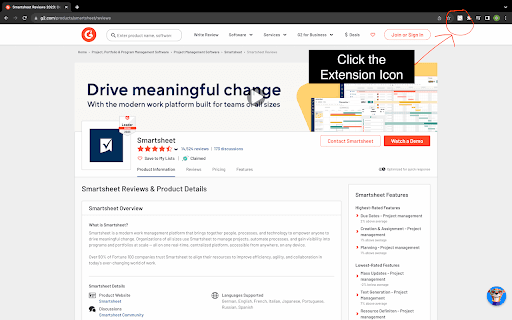
Download and install ExtractG2, then click to instantly extract G2 reviews and export them to a clear, organized Excel file for analysis.
Features
- AI-generated summaries highlighting key themes in user reviews
- One-click export of G2 software reviews to Excel
- Intuitive interface designed for seamless product analysis
Use Cases
- Generating SaaS business ideas
- Analyzing software reviews for insights
- Conducting competitor research
- Evaluating customer feedback
- Market trend analysis
Best For
Product managersMarket researchersSaaS entrepreneursBusiness analystsCompetitive intelligence teams
Pros
- Exports reviews easily to Excel
- Free to use without restrictions
- Quick and efficient data extraction
- Includes AI-powered review summaries
Cons
- Premium subscription needed for scraping over 100 pages
- Dependent on data availability from G2
FAQs
What is ExtractG2 used for?
ExtractG2 enables instant scraping of G2 software reviews and exporting them to Excel, streamlining your product research process.
Is ExtractG2 a free tool?
Yes, ExtractG2 is completely free. Premium features are available for larger data extraction, AI summaries, and extensive review downloads.
Is ExtractG2 safe to run?
Yes, ExtractG2 is free from malware and spyware, ensuring a secure user experience.
Can I extract reviews from multiple pages?
Yes, but extracting over 100 pages may require a premium subscription.
What formats does ExtractG2 support?
It exports review data directly to Excel, making analysis straightforward and accessible.