

Search GPT for Chrome
A Chrome extension that provides quick, seamless access to ChatGPT’s AI-powered capabilities directly from your browser.
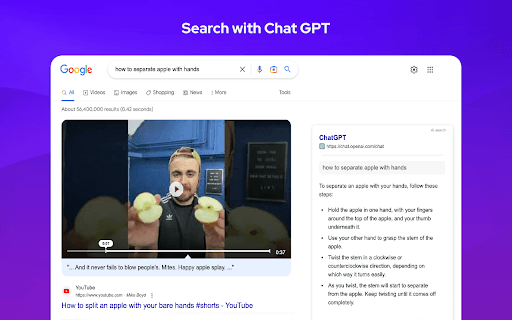
About Search GPT for Chrome
The ChatGPT Chrome Extension offers instant access to ChatGPT’s advanced AI features right within your web browser. Users can ask questions and receive precise, real-time responses, enhancing productivity. The extension also includes quick tools like a calculator and direct links to plotly.com for data visualization, all accessible from a simple popup.
How to Use
Download and install the ChatGPT Chrome Extension from the Chrome Web Store. Click the extension icon in your toolbar to open it, then type your question or select a tool. Receive immediate responses or access additional features effortlessly.
Features
- Built-in calculator for quick computations
- Direct access to plotly.com for data visualization
- Instantly connect to ChatGPT from your browser toolbar
- Receive accurate, real-time answers to any query
Use Cases
- Access plotly.com for data visualization directly from the extension
- Perform calculations without switching apps
- Get quick answers to questions while browsing
- Enhance productivity with instant AI assistance
Best For
Students seeking quick informationProgrammers and developersWriters and content creatorsResearchers and analystsAnyone needing instant AI support
Pros
- Easy access to ChatGPT from your browser
- Saves time with instant responses
- Includes useful tools like calculator and data visualization links
- Free to install and use
Cons
- Dependent on ChatGPT availability and performance
- Performance may vary with internet speed
- May require an OpenAI account for full features
FAQs
Is the ChatGPT Chrome Extension free to use?
Yes, the extension is completely free and easy to access.
What additional features does the extension offer?
It provides quick access to a calculator and direct links to plotly.com for data visualization.
Can I use the extension without an OpenAI account?
Some features may require an OpenAI account to access ChatGPT fully.
How do I install the ChatGPT Chrome Extension?
Download it from the Chrome Web Store and click the extension icon to activate it.
Is the extension suitable for students and professionals?
Absolutely, it enhances productivity for students, developers, writers, and researchers.