

SearchGPT for Chrome
A Chrome extension that seamlessly combines ChatGPT with search engines to deliver AI-powered answers directly within your browser.
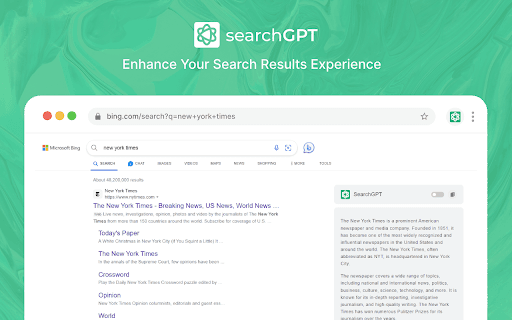
About SearchGPT for Chrome
SearchGPT for Chrome is a powerful browser extension that elevates your browsing experience by integrating ChatGPT's intelligence with popular search engines. It displays AI-generated responses alongside traditional search results, allowing quick access to insightful answers without leaving your browser. Designed specifically for Chrome users, it features a user-friendly popup interface for asking questions effortlessly during your browsing session.
How to Use
Download and install the SearchGPT for Chrome extension from the Chrome Web Store. Use the extension popup to ask questions or right-click highlighted text to perform a search. ChatGPT responses appear alongside standard search results on major engines for quick insights.
Features
- Easy access via Chrome extension popup
- Dark mode for comfortable viewing
- Right-click context menu for quick searches
- Integrated ChatGPT responses with search results
Use Cases
- Get instant AI-generated answers during browsing
- Search highlighted text or code efficiently
- Improve search results with AI insights
Best For
Pros
- Provides AI-powered responses alongside search results
- Supports dark mode for easier viewing
- Simplifies querying with a popup interface
- Accessible via context menu for quick searches
Cons
- Potential privacy concerns based on data usage policies
- Depends on Microsoft Bing for search results
- Sets SearchGPT as default search engine without explicit user consent