

Select AI
A versatile Chrome extension that enables seamless AI interactions using your personalized API key and supports multiple languages for global usability.
About Select AI
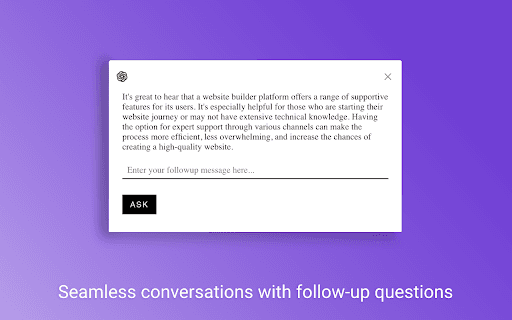
Select AI is a powerful Chrome extension designed to enhance your browsing experience by enabling AI interactions through your own API key. It supports multiple languages and preserves conversation history across multiple text selections on the same webpage, making your AI interactions more efficient and personalized.
How to Use
Highlight the desired text on any webpage, right-click and choose 'Select AI' from the context menu, then communicate with the AI in your preferred language for quick assistance.
Features
- Supports multiple languages for diverse communication
- Maintains conversation history across multiple interactions
- Allows use of a personal API key for secure AI access
Use Cases
- Translating webpage content instantly
- Summarizing lengthy articles efficiently
- Obtaining quick answers while browsing
- Language learning through interactive AI
- Research data extraction from online sources
Best For
Content creatorsTranslatorsResearchersStudentsProfessionals seeking quick AI assistance
Pros
- Full control over AI conversations with a custom API key
- Supports numerous languages for global usability
- Simple integration via context menu
- Preserves conversation context for ongoing interactions
Cons
- Requires users to provide their own API key
- Functionality depends on the user's chosen AI service
- Limited details on supported AI models
FAQs
Does Select AI support languages other than English?
Yes, Select AI offers support for many languages including Spanish, Mandarin, French, Hindi, and more.
How do I start using Select AI?
Highlight the text you want to analyze, right-click, and select 'Select AI' from the context menu to begin interaction.
Can I use my own API key with Select AI?
Absolutely. You can input your personal API key to control and customize your AI interactions.