

ShareGPTConvo
Enables a share button in ChatGPT for easily sharing conversations as high-quality images.
About ShareGPTConvo
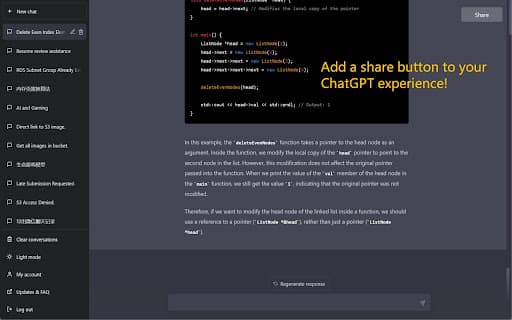
This tool introduces a Share Button for ChatGPT, allowing users to effortlessly convert conversations into visually appealing images optimized for mobile and desktop devices, facilitating easy sharing across platforms.
How to Use
Install the ChatGPT Share Button extension or plugin. After setup, a share icon appears within ChatGPT, enabling quick generation and sharing of conversation images.
Features
- Optimized for seamless viewing on mobile and desktop devices
- Creates visually appealing images of ChatGPT chats
Use Cases
- Archiving ChatGPT conversations in a professional format
- Sharing engaging or informative chats on social media platforms
- Generating visual summaries of ChatGPT interactions for presentations
Best For
ChatGPT usersSocial media content creatorsDigital marketersResearchersEducators
Pros
- Simplifies sharing ChatGPT conversations as images
- Works well on various screen sizes
- Provides attractive visual chat summaries
Cons
- Limited to sharing conversations as images only
- Image processing may require some time
- Requires installation of a browser extension or plugin
FAQs
What is the purpose of the ChatGPT Share Button?
It enables users to convert ChatGPT conversations into visually appealing images for easy sharing.
How can I use the Share Button in ChatGPT?
Install the extension or plugin, then click the share icon within ChatGPT to generate and share conversation images.
Is the sharing process compatible with mobile devices?
Yes, the Share Button optimizes images for viewing and sharing on both mobile and desktop platforms.
Does this tool support sharing on all social media platforms?
It allows sharing images across major social media platforms that support image uploads.
Are there any limitations to what I can share?
The tool is designed specifically for sharing ChatGPT conversations as images, with no additional sharing options.