

Sidebarr - chatgpt, bookmarks, apps and more
A Chrome extension that provides quick access to bookmarks, ChatGPT, and Google applications, enhancing your browsing efficiency.
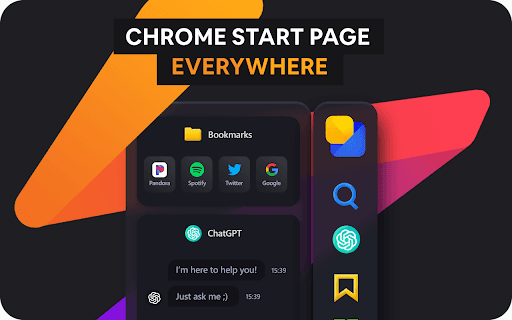
About Sidebarr - chatgpt, bookmarks, apps and more
The Sidebar Chrome extension boosts productivity by offering quick access to your bookmarks, ChatGPT, and Google apps within a customizable sidebar. It simplifies workflow for students, professionals, writers, and researchers by centralizing essential tools for faster, more efficient browsing.
How to Use
Install the Sidebar Chrome extension from the Chrome Web Store. Once added, a sidebar will appear on your browser, allowing you to manage bookmarks, interact with ChatGPT, and launch Google apps directly. Customize the sidebar's appearance and settings to fit your workflow preferences.
Features
- Efficient bookmark management
- ChatGPT integration for browsing assistance
- Fully customizable sidebar interface
- Quick launch of Google applications
- Built-in spell and grammar checking
- Instant translation with ChatGPT
- History tracking of browsing activity
- Access to dictionaries and synonyms
- Streamlined app launcher
- Seamless ChatGPT integration
Use Cases
- Get writing assistance, translations, or information retrieval with ChatGPT while browsing.
- Launch Google Drive, Docs, Sheets, and Slides directly from the sidebar for faster workflow.
- Manage and access your bookmarks quickly without navigating multiple menus.
- Translate web pages instantly using ChatGPT's AI-powered language translation.
- Enhance writing quality with ChatGPT’s grammar and spell checking features.
Best For
Frequent bookmark usersContent creatorsStudents and researchersWriters and bloggersProfessionals seeking productivity tools
Pros
- Enhanced writing with AI-powered assistance
- Highly customizable interface for personalized experience
- Increases productivity through quick access to tools
- Provides instant definitions, synonyms, and translations
- Centralized access to bookmarks, ChatGPT, and Google apps
Cons
- Privacy considerations with ChatGPT data handling
- Limited to Chrome browser users
- Full ChatGPT features may require an OpenAI API key or subscription
FAQs
What functionalities does the Sidebar extension include?
It offers bookmark management, ChatGPT integration, access to Google apps, a customizable interface, history tracking, an app launcher, translation, dictionary, grammar and spell checking.
Is ChatGPT access included for free?
Access to ChatGPT features may require an OpenAI API key or a ChatGPT Plus subscription, depending on the desired capabilities.
Can I personalize the appearance of the Sidebar?
Yes, you can customize the sidebar’s size, font, color, and toggle dark mode to match your preferences.
Does this extension work on all browsers?
No, it is designed specifically for Google Chrome and may not be compatible with other browsers.
Is the extension safe to use?
Yes, provided you download it from the official Chrome Web Store and review its privacy and security settings.