

SkillMapper: Social Highlighter & Bookmarker
SkillMapper is an intuitive learning platform and Chrome extension designed to help users save, organize, and explore educational content online.
About SkillMapper: Social Highlighter & Bookmarker
SkillMapper serves as a comprehensive learning hub and Chrome extension for passionate learners such as journalists, students, engineers, writers, and thinkers. It enables users to save and categorize web-based learning resources, highlight important text or transcripts, create organized collections, and connect with like-minded learners. Available in English and Spanish, SkillMapper aims to streamline content curation and foster community-driven learning.
How to Use
Install the SkillMapper Chrome extension. Right-click on links to save content or highlight text on web pages and videos. Organize your saved items into Collections and follow other users to explore new learning opportunities.
Features
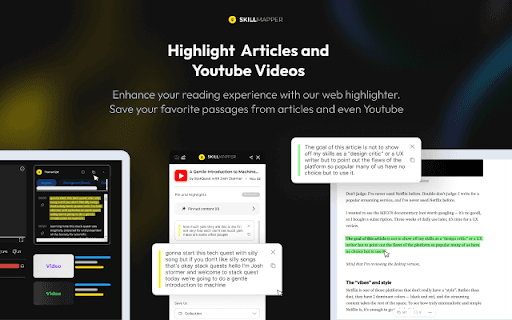
- Highlight text and transcripts for quick reference
- Create and manage organized Collections
- Save web content instantly with a single click
- AI-driven auto-tagging for efficient categorization
- Discover content through curated feeds
- Add personal notes to saved resources
Use Cases
- Saving articles and videos for later review
- Organizing resources by specific topics or projects
- Highlighting key information in online courses
- Exploring new learning materials via community feeds
Best For
Pros
- Effective highlighting and note-taking features
- Available in both English and Spanish
- Simplifies saving and organizing content
- Community-driven content discovery
- AI-powered auto-tagging for quick categorization
Cons
- Requires Chrome browser for full features
- May have a learning curve for new users
- Content quality depends on community contributions