

SlickRemix: Your ChatGPT Web Assistant
A powerful Chrome extension that seamlessly integrates ChatGPT for advanced text editing, translation, and content creation directly within your browsing experience.
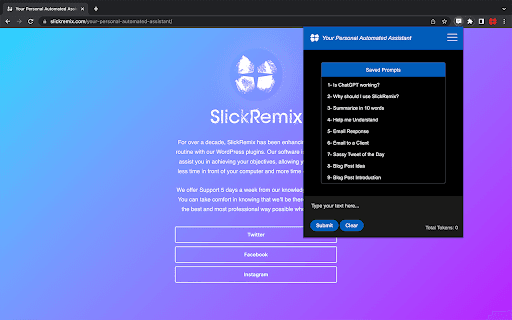
About SlickRemix: Your ChatGPT Web Assistant
Enhance your browsing with this Chrome extension that embeds ChatGPT into your workflow. Easily select text on any webpage, automatically transfer it to the extension, and generate modifications, translations, or new content. Customize settings such as temperature, number of responses, and share your ideas on Twitter. Streamline your content creation process with this versatile tool.
How to Use
Highlight the desired text on a webpage, click the extension icon to open the popup, then add a prompt after the 'STOP:' marker. Submit your request to see generated suggestions, which can replace the selected text and be copied to your clipboard. You can also share results on Twitter.
Features
- Adjustable settings for temperature, token limit, and response count
- Automatic pasting of selected text into the extension
- Option to share generated content on Twitter
- Customizable interface with font size and color options
- Integration with GitHub Prompts for prompt management
- Utilizes ChatGPT for dynamic text modification and content creation
Use Cases
- Enhancing email and messaging content
- Translating text quickly and accurately
- Writing or editing code snippets
- Modifying website text effortlessly
- Creating engaging social media posts
Best For
Pros
- Easily share suggestions on Twitter
- Manage prompts with GitHub integration
- Automate text selection and pasting to save time
- Supports diverse writing, coding, and translation needs
- Personalize experience with customizable settings
- Integrates smoothly with web browsing seamlessly
Cons
- Premium features are not yet available
- Requires an OpenAI API key for access
- Limited to processing 4097 tokens per prompt