

Spot AI
Spot AI intelligently analyzes webpage content to quickly answer your questions, enhancing your research experience.
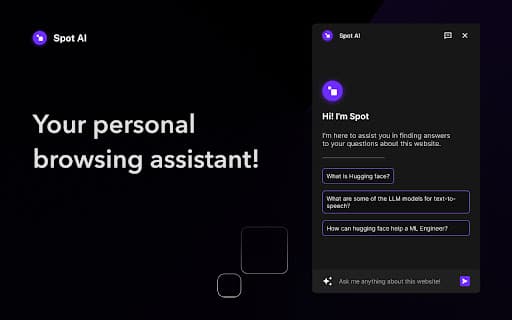
About Spot AI
Spot AI acts as your browsing companion by reading webpage content and providing accurate answers to your questions. It simplifies research and information discovery. Available as a Chrome extension, it also works seamlessly with Brave and Arc browsers. Launch it easily with CMD/CTRL + K for quick access.
How to Use
Install the Spot AI extension on Chrome, Brave, or Arc. Launch it with CMD/CTRL + K, pin the extension for easy access, then ask your questions. Spot AI reads the webpage and provides precise answers instantly.
Features
- Compatible with Chrome, Brave, and Arc browsers
- Quickly launched using CMD/CTRL + K
- Reads webpage content and answers questions accurately
Use Cases
- Summarizing web content for efficient research
- Finding specific information on webpages
- Answering detailed questions within webpage content
Best For
ResearchersStudentsProfessionalsAnyone seeking quick web informationContent creators
Pros
- Simple shortcut for fast access (CMD/CTRL + K)
- Efficiently summarizes and extracts key information
- Works across multiple popular browsers
- Speeds up research and information gathering
Cons
- Requires browser permissions to access webpage data
- Collects browsing data, including personal information and content
FAQs
How do I activate Spot AI after installation?
Use the shortcut CMD/CTRL + K to open Spot AI instantly.
Which browsers support Spot AI?
It is compatible with Chrome, Brave, and Arc browsers.
What data does Spot AI collect from my browsing?
It collects webpage content, personal communications, and identifiable information.
Is Spot AI suitable for research professionals?
Yes, it helps researchers quickly find and summarize relevant web information.
Can I use Spot AI on multiple browsers?
Absolutely, it works seamlessly on Chrome, Brave, and Arc browsers.