

Stonly Browser Extension
Stonly offers contextual guidance and comprehensive knowledge bases to enhance customer service and support team efficiency.
About Stonly Browser Extension
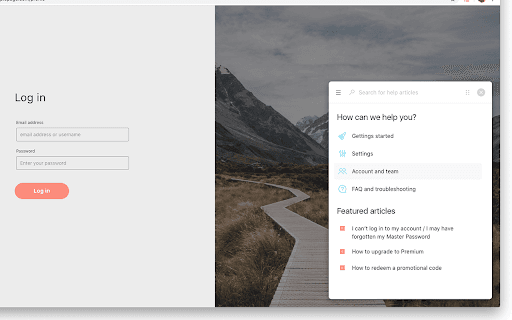
Stonly is a versatile platform that enables embedding contextual guidance on any webpage. It allows creation of interactive guides, decision trees, AI-driven answers, automations, walkthroughs, checklists, and knowledge bases. The platform includes a CSS selector picker and a user-friendly Wizard to design tailored support content for both customers and support agents.
How to Use
Embed the Stonly widget on your website to provide contextual assistance. Use the CSS selector picker to target specific page elements and craft guides with the intuitive Wizard for customized support experiences.
Features
- AI-powered answer generation
- Intuitive guide creation Wizard
- Comprehensive knowledge bases
- Decision tree development
- Interactive walkthroughs
- Step-by-step instructional guides
- Checklists for complex processes
- CSS selector element picker
- Automation of support tasks
- Embedded contextual guidance widget
Use Cases
- Creating decision trees for troubleshooting support
- Delivering step-by-step guidance to website visitors
- Providing interactive onboarding walkthroughs
- Integrating AI answers into help centers
- Automating routine customer service tasks
- Developing centralized knowledge bases for teams
- Supplying checklists for intricate procedures
Best For
Product managersTraining teamsCustomer support agentsKnowledge managersSupport teams
Pros
- Includes a CSS selector tool for precise element targeting
- Facilitates customer self-service options
- Features an easy-to-use Wizard for guide creation
- Supports multiple guidance formats like decision trees and walkthroughs
- Enables embedding guidance on any webpage
- Enhances customer service efficiency
Cons
- Setup may require some technical expertise
- Needs website integration for full functionality
- Guide quality impacts overall effectiveness
FAQs
What is the main purpose of Stonly?
Stonly helps embed interactive guides, decision trees, AI answers, and automations to improve customer support and website assistance.
How can I create guides with Stonly?
Use the built-in Wizard to design guides and the CSS selector picker to target specific webpage elements.
Can I embed AI answers in my support content?
Yes, Stonly allows integration of AI-powered answers to provide instant, relevant support responses.
Is technical knowledge required to set up Stonly?
Basic technical skills are helpful for integration, but the platform offers user-friendly tools for guide creation.
What types of guidance tools does Stonly offer?
Stonly provides decision trees, step-by-step guides, walkthroughs, checklists, and knowledge bases.