

StreamAlive - Polls, Word Clouds & Spinner Wheels
StreamAlive enhances live session participation through real-time chat visualization and interactive engagement tools.
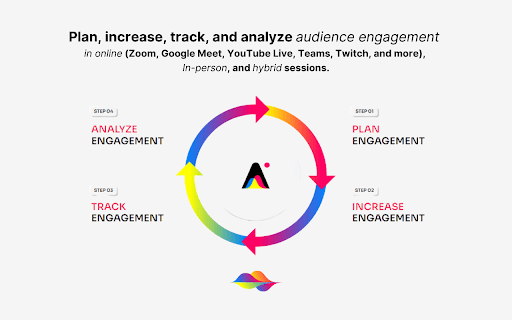
About StreamAlive - Polls, Word Clouds & Spinner Wheels
StreamAlive is an engagement platform designed to increase audience participation during live events by visualizing chat messages in real-time. It offers interactive features such as polls, word clouds, Q&A sessions, spinner wheels, and maps, seamlessly integrated into platforms like Vimeo, Google Meet, Microsoft Teams, Cisco Webex, and YouTube Live. The platform reads live chat messages, updating interactive elements instantly and curating questions for later use.
How to Use
To get started with StreamAlive, ask your audience questions via your chosen platform’s native chat. The tool automatically captures chat responses, updating polls, word clouds, and other interactive features in real-time. For unsupported platforms, access the browser app at app.streamalive.com for full functionality.
Features
- Real-time polls integrated with chat
- Interactive maps displaying live data
- Visualizations like word clouds and bubbles
- Audience engagement analytics
- AI-powered question curation
- AI-assisted poll and question generation
- Interactive spinner wheels for selections
Use Cases
- Displaying audience locations in real-time
- Conducting live polls during webinars
- Managing audience questions for Q&A sessions
- Visualizing feedback with word clouds
- Choosing speakers with spinner wheels
Best For
Pros
- Enhances engagement through interactive tools
- Provides instant visualization of chat messages
- Utilizes AI to curate questions
- Offers comprehensive engagement analytics
- Audience participation without extra devices
- Integrates smoothly with popular video platforms
Cons
- Dependent on quality of chat input
- Requires active audience chat participation
- Some setup needed for platform integration