

Streamrun
Streamrun is a cloud-based multistreaming platform designed for content creators to broadcast simultaneously across multiple platforms with ease and professionalism.
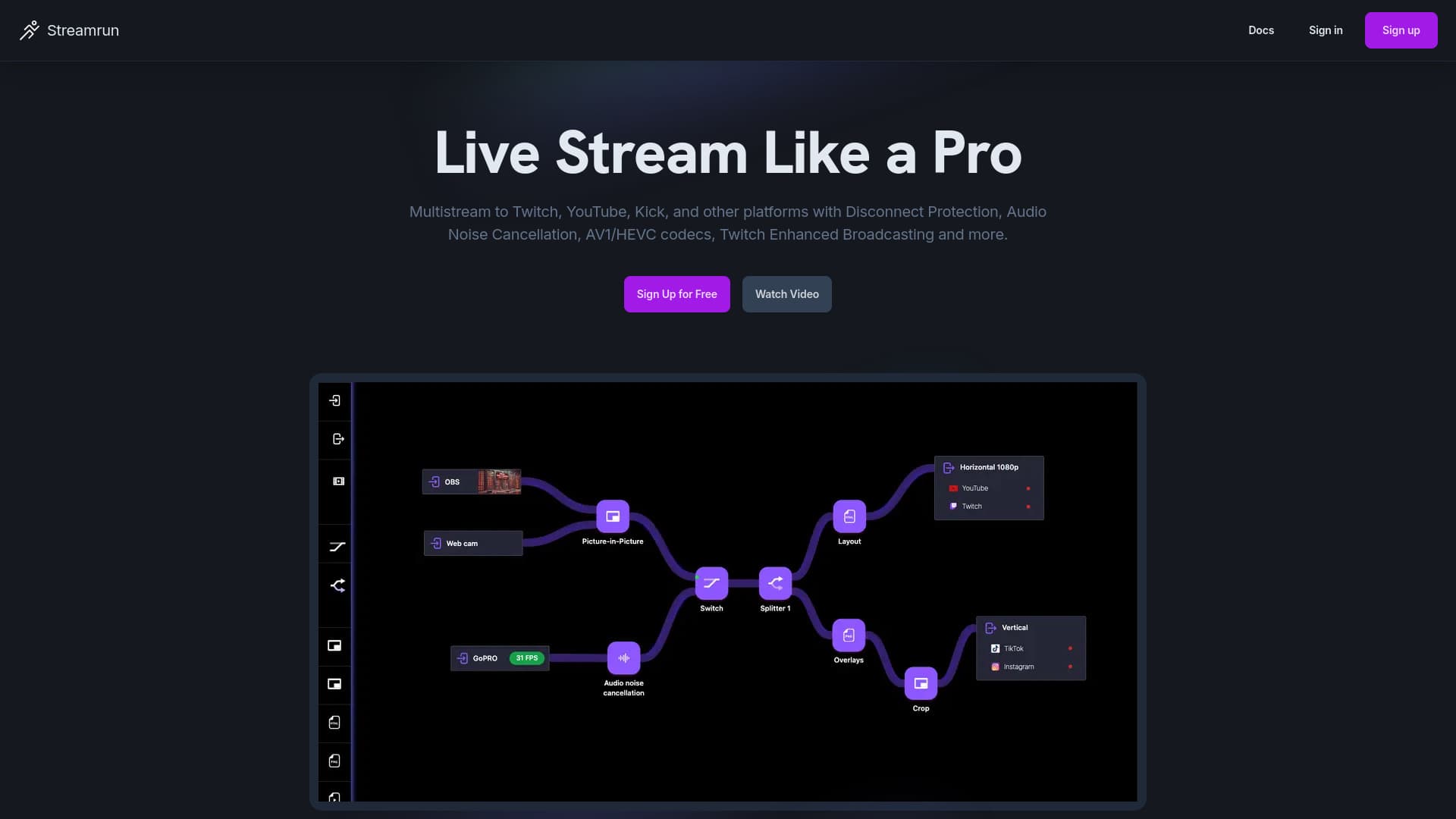
About Streamrun
Streamrun is an advanced multistreaming platform that enables creators to broadcast to Twitch, YouTube, Kick, TikTok, and other platforms simultaneously. It offers features like disconnect protection, AI noise cancellation, support for AV1 and HEVC codecs, customizable graphical overlays, and Twitch-enhanced broadcasting. Operating entirely in the cloud, Streamrun allows users to reach wider audiences, enhance stream quality, and manage live content effortlessly without extra hardware or software installations.
How to Use
Integrate Streamrun seamlessly with your existing setup, including OBS, GoPro, or mobile apps. Add multiple streaming destinations, enable advanced features like AI noise cancellation, and customize overlays. Create, save, and switch between stream configurations easily. Preview edits live and produce professional broadcasts from any device to any platform.
Features
- Supports simultaneous horizontal and vertical streaming
- AI-powered noise cancellation for clearer audio
- Real-time editing of streams
- Enhanced Twitch broadcasting features
- Multistream to multiple platforms at once
- Customizable graphical overlays
- Automatic disconnect protection to prevent stream drops
Use Cases
- Add professional overlays to action camera streams from devices like GoPro or DJI.
- Maintain live broadcasts during network interruptions with Twitch Enhanced Broadcasting.
- Stream concurrently to YouTube, Kick, Twitch, and other platforms.
- Display platform-specific chat overlays and run targeted ads.
- Switch between multiple video sources, including RTMP and SRT feeds, directly on the server.
- Implement AI noise cancellation and automatic disconnect protection.
- Broadcast in both horizontal and vertical orientations simultaneously.
Best For
Pros
- Flexible pay-as-you-go pricing model.
- No additional hardware or software setup needed.
- Expand your reach across multiple streaming platforms.
- Enhance audio quality with AI noise cancellation.
- Ensure uninterrupted streams with disconnect protection.
- Customize overlays for each platform easily.
Cons
- Some advanced features require additional purchases or support plans.
- Add-ons can increase overall costs.
- Hourly charges may add up with high usage.
Pricing Plans
Choose the perfect plan. All plans include 24/7 support.
Basic Pay-As-You-Go
Pay only when your stream is live. Subscription plans are also available.
Get StartedAdditional Input
Add extra RTMP or SRT input sources to your streams.
Get StartedAdditional Output Destinations
Include up to six extra destinations or multistream channels.
Get StartedAdditional Graphical Overlays
Add extra HTML or PNG overlays to enhance your stream visuals.
Get StartedExtra Storage
Get 1 GB of additional storage for images, videos, and other files.
Get StartedGPU Acceleration
Supports 4K at 60fps, AV1, and HEVC (H.265) video output.
Get StartedBusiness Support
Includes dedicated setup assistance, email support, and access to professional services.
Get Started