

StudyTool
AI-powered exam assistant designed for quizzes and homework, seamlessly integrated with leading Learning Management Systems (LMS).
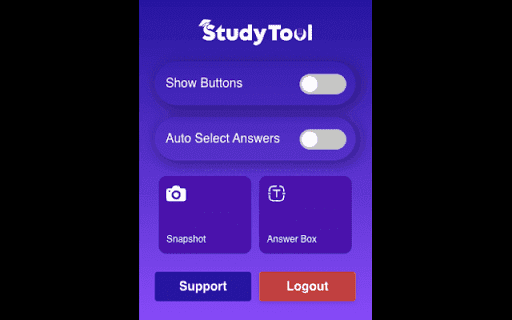
About StudyTool
StudyTool is an advanced AI exam assistant that integrates effortlessly with any website or LMS platform. It provides accurate solutions for quizzes and homework, helping students focus on understanding concepts and achieving academic success. Compatible with platforms like Canvas, Blackboard, Moodle, and McGraw Hill.
How to Use
Use StudyTool by capturing questions with the snapshot feature or highlighting text and selecting 'Ask StudyTool.' The extension then displays the correct answer in a popup for quick reference.
Features
- Seamless integration with LMS platforms
- Prioritizes user privacy and data security
- Maintains a history of answered questions
- Capture questions via snapshots
- Provides AI-driven quiz and homework solutions
- Allows text selection for quick questions
- Includes a Do Not Track option
- Offers detailed explanations for answers
- Stealth Mode for discreet use
Use Cases
- Understanding the reasoning behind quiz and homework answers
- Efficiently solving multiple-choice questions
- Reviewing solved questions to prepare for exams
Best For
University studentsCollege studentsHigh school learnersTest takersE-learning participants
Pros
- Enhances comprehension of core concepts
- Enables discreet usage with Stealth Mode
- Integrates smoothly with popular LMS platforms
- Keeps a record of answered questions for review
- Prioritizes user privacy with anonymized data
- Delivers accurate answers with detailed explanations
Cons
- Platform and question format compatibility may vary
- AI accuracy depends on algorithm performance
- Potential misuse if relied upon exclusively without understanding
FAQs
Which platforms are compatible with StudyTool?
StudyTool works seamlessly with platforms such as Canvas, Blackboard, Moodle, McGraw Hill, and others.
How can I use the Snapshot feature?
Capture questions from any website easily and receive instant answers via the extension popup, ideal for multiple-choice questions.
How does the Text Selection feature work?
Highlight the question, right-click, and select 'Ask StudyTool' to see the correct answer displayed in a popup.
What is Stealth Mode and how does it function?
Stealth Mode allows discreet use by fully integrating into platform elements, leaving no visible trace of the software's branding.
How is my privacy safeguarded?
Your privacy is our priority. All user data remains anonymous, and the extension operates unobtrusively on supported platforms.