

Syncia
Syncia is a browser extension that seamlessly integrates ChatGPT into any website, enhancing your browsing experience with AI-powered features.
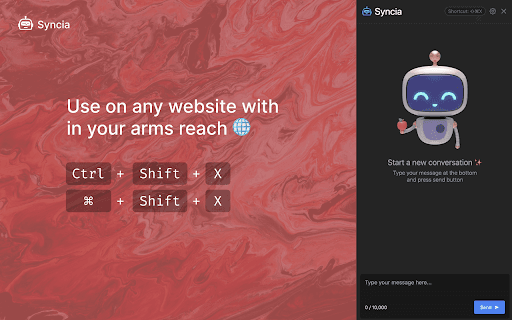
About Syncia
Syncia is a versatile browser extension that enables you to access OpenAI's GPT capabilities on any website. It features a sidebar for chatting with ChatGPT, a quick menu for summarizing content, correcting grammar, translating text, and customizing prompts. Easily interact with webpage content and boost your productivity with this powerful AI tool.
How to Use
Install the Syncia Chrome extension. Press ctrl+shift+x to open the ChatGPT sidebar on any webpage. Highlight text to access options like summarization, grammar checks, and translation through the quick menu. Adjust settings and prompts in the extension preferences for a personalized experience.
Features
- Integrates ChatGPT directly into your browser
- Customizable prompts and settings
- Quick access menu for text editing
- Supports OpenAI API keys for enhanced functionality
Use Cases
- Summarizing lengthy articles
- Adjusting text length for clarity
- Translating content between languages
- Checking and correcting grammar
- Simplifying complex language
Best For
Pros
- Instant access to ChatGPT on any website
- Convenient quick menu for content editing
- Free and open source tool
- Highly customizable to user preferences
Cons
- Limited to features available in the extension
- Requires an OpenAI API key for full features
- Shortcut keys may need manual setup
Pricing Plans
Choose the perfect plan. All plans include 24/7 support.