

tabOS
A versatile browser extension that enhances your browsing experience with advanced tab management, note-taking, and AI-powered assistance in a customizable new tab.
About tabOS
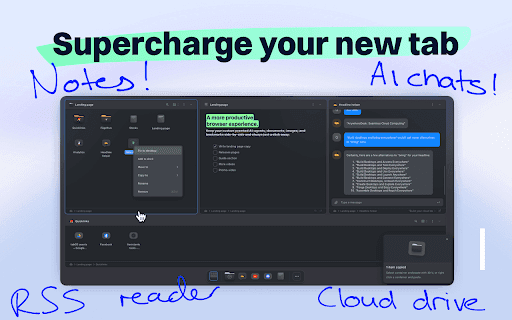
tabOS transforms your new tab into a comprehensive workspace for efficient browsing. Manage tabs, organize them into groups, take notes, save images, and access AI assistants—all within a single, streamlined interface. Designed to reduce clutter, save time, and boost productivity, it centralizes essential tools for an optimized web experience.
How to Use
Install the tabOS browser extension to convert your new tab into a powerful workspace. Drag and drop to save or close tabs and organize them into various view modes like grid, column, list, or tree. Use the side panel for AI helpers alongside your web apps. Explore features such as tab discarding, library search, and session continuation to maximize productivity.
Features
- AI-powered assistance for quick insights
- Flexible tab grouping and organization
- Integrated note-taking for annotations
- Customizable workspace layouts
- Efficient tab management and control
Use Cases
- Organizing research tabs into project-specific groups for easy access.
- Taking and saving notes during online meetings seamlessly.
- Managing multiple cloud desktops for different workflows.
- Using AI to summarize articles and answer browsing questions efficiently.
Best For
Pros
- Integrates AI assistance for smarter browsing
- Centralizes tab, notes, and workspace management
- Supports cloud storage for seamless data access
- Offers versatile organizational layouts
- Includes collaboration features for team sharing
Cons
- Some features require a paid subscription
- Extension can impact browser performance
- May involve a learning curve for full utilization
Pricing Plans
Choose the perfect plan. All plans include 24/7 support.
Free Plan
Access core features at no cost with an anonymous account to streamline your browsing.
Get StartedPro Plan
Upgrade for additional cloud storage, advanced AI features, and enhanced organization tools.
Get StartedAI Plus Plan
Get expanded AI capabilities and extra storage to further elevate your browsing productivity.
Get Started