

Tali AI
A Chrome extension that enables healthcare professionals to dictate medical notes and seamlessly access medical databases within electronic health record (EHR) systems.
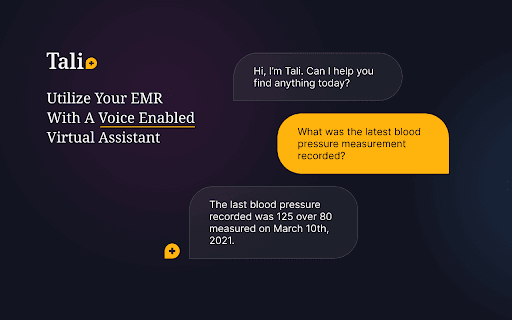
About Tali AI
Tali AI is a powerful Chrome extension tailored for healthcare providers, streamlining the process of documenting patient notes and retrieving medical information. It enables users to dictate directly into EHR systems and access evidence-based medical databases instantly at the point of care, enhancing efficiency and accuracy without disrupting workflow.
How to Use
Install the Tali Chrome extension, log in with your Google account, select a text field in your EHR, click the microphone icon, and start speaking clearly to transcribe notes directly into the system.
Features
- Seamless integration with Google accounts
- Immediate access to medical databases within the EHR
- Dictation of clinical notes directly into electronic health records
- Accurate voice-to-text transcription
Use Cases
- Dictating patient progress notes during consultations
- Searching for relevant medical research during patient visits
- Accessing drug information and treatment guidelines in real time
- Creating detailed clinical documentation efficiently
Best For
DoctorsNursesMedical assistantsPharmacistsHealthcare administratorsClinicians
Pros
- Integrates effortlessly with existing EHR systems
- Enhances accuracy of clinical documentation
- Provides quick access to essential medical information
- Reduces time spent on manual note-taking
Cons
- Voice recognition accuracy may vary with noise and clarity
- Requires microphone permission
- Dependent on Google account login
- Initial setup may require some training
FAQs
How can I install the Tali Chrome extension?
Click the 'Add to Chrome' button on the Tali website to install the extension directly into your browser.
How do I begin dictating notes during a patient encounter?
Open your EHR, select the desired text field, click the microphone icon in the Tali widget, allow microphone access, and speak clearly.
Is a Google account necessary to use Tali?
Yes, logging in with a Google account is required to access Tali’s dictation and medical database features.
Can I use Tali with any EHR system?
Tali is compatible with most EHR platforms that support text input, providing seamless integration.
What should I do if voice recognition is inaccurate?
Ensure a quiet environment, speak clearly, and check microphone settings for optimal performance.