

Talk With Me ChatGPT
A Chrome extension that enables voice communication in ChatGPT with speech recognition and text-to-speech capabilities.
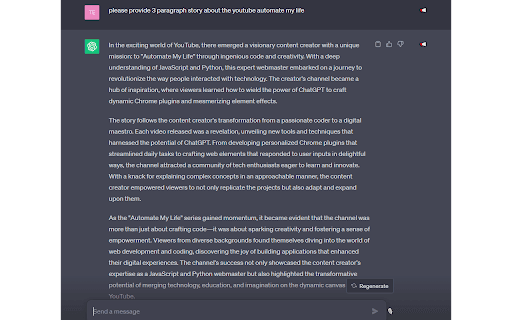
About Talk With Me ChatGPT
Talk with Me ChatGPT is a powerful Chrome extension that adds voice communication features to ChatGPT. It converts speech into text using advanced speech recognition and reads text aloud with integrated text-to-speech. Users can control voice input, pause speech playback, and automatically have the latest content read out, enhancing interaction and accessibility.
How to Use
Install the Talk with Me ChatGPT Chrome extension. Activate the microphone to speak, and your voice will be transcribed into ChatGPT. Use the text-to-speech feature to listen to written responses, with options to pause or stop. The extension also automatically reads new paragraphs for seamless listening.
Features
- Pause and resume text-to-speech playback
- Speech recognition for voice input
- Built-in text-to-speech functionality
- Control microphone activation
- Automatically read latest chat content
Use Cases
- Convert spoken thoughts into ChatGPT text effortlessly
- Listen to chat responses for improved accessibility
- Automatically read latest messages for hands-free interaction
Best For
Pros
- Supports pause and auto-play for continuous listening
- Speeds up productivity with voice input
- Improves accessibility with text-to-speech
- Seamless integration with ChatGPT
- User-friendly interface
Cons
- Dependent on speech recognition accuracy
- Performance varies with internet speed and system resources
- Requires microphone permission for operation