

Talking ChatGPT
A ChatGPT extension that seamlessly converts speech into text and vice versa, enhancing communication and accessibility.
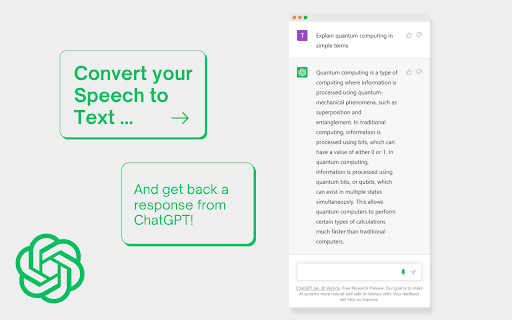
About Talking ChatGPT
The ChatGPT Speech-to-Text extension enables quick and accurate conversion of spoken words into written text. It supports 62 languages and dialects, allowing users to transcribe speech in their preferred language and accent. The extension also offers text-to-speech functionality, letting ChatGPT vocalize its responses for improved accessibility and convenience.
How to Use
Install the extension, choose your language and dialect, and speak into your microphone. The extension transcribes your speech into text directly within ChatGPT. Enable the text-to-speech feature to have ChatGPT vocalize its replies for a more interactive experience.
Features
- Real-time speech-to-text transcription supporting 62 languages and dialects
- Built-in text-to-speech to vocalize ChatGPT responses
Use Cases
- Transcribing lectures, meetings, or notes directly into ChatGPT
- Using voice commands for hands-free interaction
- Enhancing accessibility for users with visual impairments
- Assisting multilingual communication and translation
Best For
Pros
- Supports numerous languages and dialects for broad usability
- Enhances accessibility for users with visual or motor impairments
- Enables hands-free operation of ChatGPT through voice
- Speeds up transcription of spoken content into text
Cons
- Dependent on microphone quality for optimal performance
- Speech recognition accuracy may vary with accents and background noise
- Text-to-speech quality can differ based on settings and voice options