

TextFlip: ChatGPT Re-Writer, AI Humanizer, PDF Chat
All-in-one AI-powered tool for content creation, rewriting, and PDF interaction to enhance productivity.
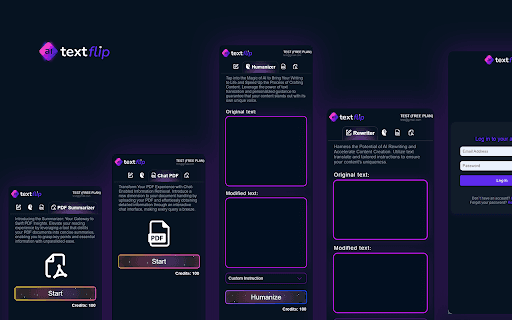
About TextFlip: ChatGPT Re-Writer, AI Humanizer, PDF Chat
TextFlip.ai is an all-in-one GPT-powered AI assistant designed to streamline content creation and textual content interaction. It features text rewriting, humanization, PDF chat, and summarization, accessible via a user-friendly Chrome extension.
How to Use
Install the TextFlip.ai Chrome extension, log in, choose your desired feature—such as rewriting, humanizing, or PDF summarization—and start enhancing your content with AI assistance.
Features
- PDF document summarization
- Interactive PDF chat
- Text rewriting and paraphrasing
- Content humanization for better engagement
Use Cases
- Improve text uniqueness and clarity through advanced rewriting tools
- Generate concise summaries of lengthy PDF documents
- Convert PDF content into editable formats for analysis
- Add a human touch to texts for improved reader engagement
Best For
Content creatorsStudentsResearchersMarketing professionalsWriters
Pros
- Advanced text humanization technology
- Seamless PDF interaction and summarization
- Available worldwide without restrictions
- User-friendly Chrome extension interface
- Accelerate content creation with AI support
Cons
- Premium plan required for unlimited access
- Limited features in free version
FAQs
Is a ChatGPT or OpenAI account necessary to use TextFlip.ai?
No, you can use TextFlip.ai without a ChatGPT account. A free account can be created directly through TextFlip.
Can I use TextFlip.ai in countries where ChatGPT is blocked?
Yes, our extension operates in all countries, regardless of ChatGPT restrictions.
Is TextFlip.ai free to try?
Yes, there is a free tier with limited features. For full access, subscribe to the Premium Plan.
Does TextFlip.ai work with PDFs and other document types?
Yes, it offers PDF interaction, summarization, and content extraction features.
How does the PDF chat feature work?
You can upload PDFs and interact with their content directly through conversational prompts.