

Ticket Artisan
AI-powered tool that transforms UI designs into actionable development tickets for streamlined project management.
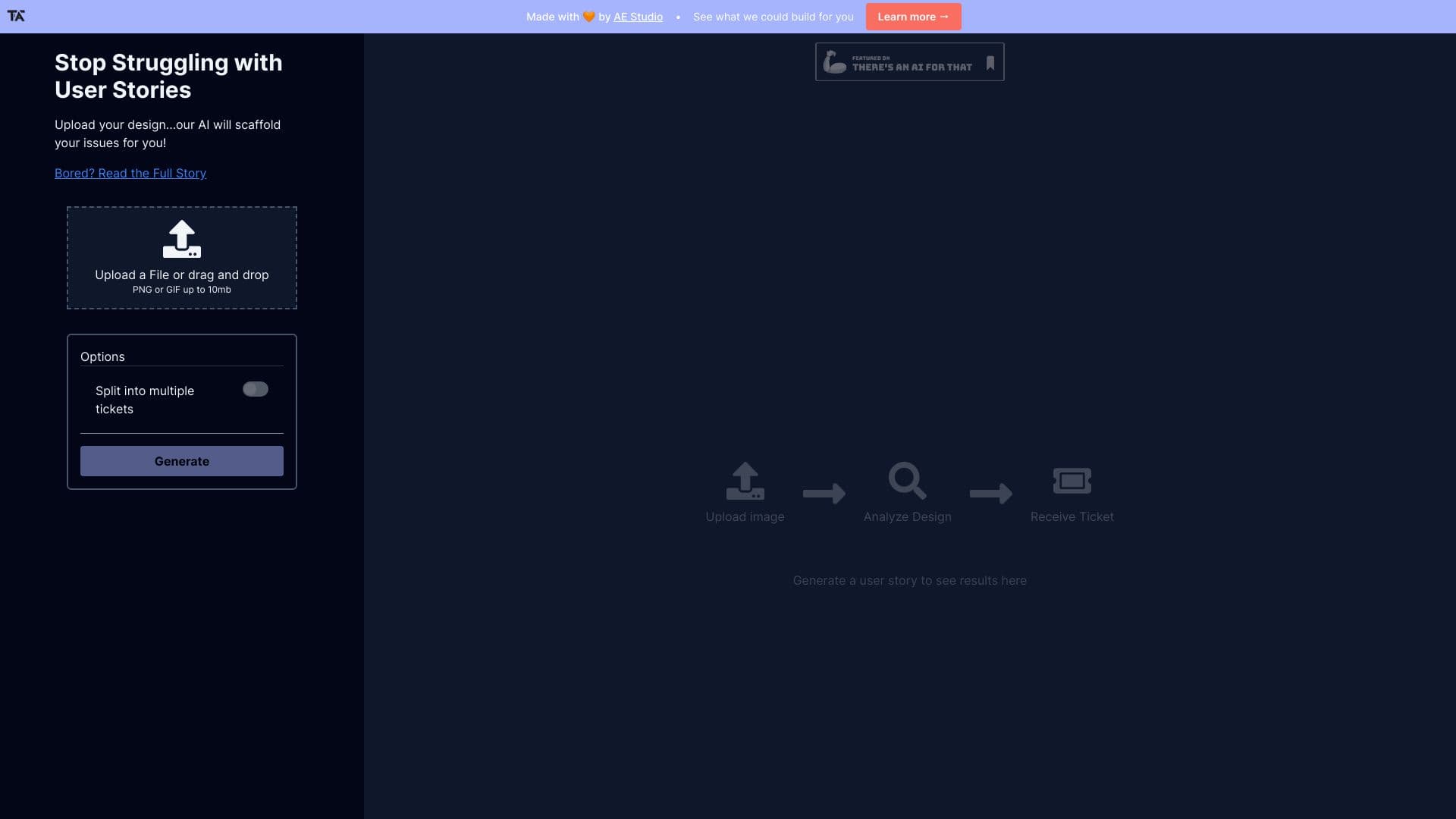
About Ticket Artisan
Ticket Artisan leverages AI to convert UI designs into detailed development tasks for project managers and Scrum teams. It analyzes design files to generate accurate user stories and creates tickets for platforms like Jira, Asana, and Trello. This process speeds up sprint planning, improves task clarity, and enhances overall development efficiency by turning visual designs directly into manageable work items.
How to Use
Upload a PNG or GIF design file up to 10MB. Optionally, split the design into multiple tickets. The system analyzes your file and automatically generates corresponding user stories and tasks.
Features
- Automated creation of Jira, Asana, and Trello tickets
- Generation of user stories from design files
- Option to split designs into multiple tasks
- AI-powered analysis of UI/UX designs
Use Cases
- Converting UI screenshots into development tasks
- Streamlining sprint planning with automated ticket generation
- Transforming design prototypes into actionable user stories
- Supporting Agile workflows with efficient task creation
Best For
UI/UX DesignersProject ManagersScrum MastersDevelopment TeamsProduct Owners
Pros
- Seamlessly integrates with Jira, Asana, and Trello
- Enhances clarity and organization of development tasks
- Speeds up ticket creation from UI designs
- Boosts efficiency in sprint planning and execution
Cons
- Ticket quality depends on the clarity of the uploaded design
- Manual adjustments may be needed for complex designs
- Supports only PNG and GIF files up to 10MB
FAQs
What file formats are compatible with Ticket Artisan?
Supports PNG and GIF files up to 10MB in size.
Which project management tools can I connect with Ticket Artisan?
Integrates seamlessly with Jira, Asana, and Trello.
Can I split a design into multiple tickets?
Yes, you can choose to split your design into several tickets for detailed task management.
Does the tool analyze all types of UI designs?
It analyzes PNG and GIF files; other formats are not supported currently.
Is manual editing required after ticket generation?
Some manual adjustments may be necessary to refine automatically generated tickets.