

TikTok Video Tags Summary with ChatGPT
A TikTok browser extension that displays video tags and provides ChatGPT-generated summaries for enhanced understanding.
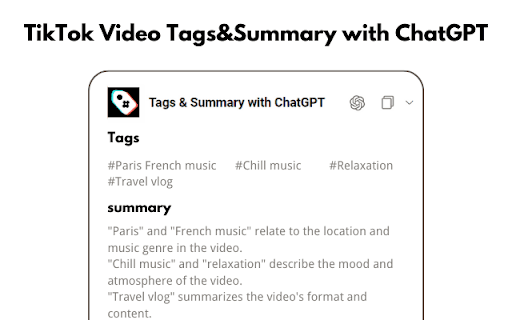
About TikTok Video Tags Summary with ChatGPT
This browser extension enhances your TikTok experience by showing video tags and generating concise summaries with ChatGPT. Quickly grasp video content, discover related keywords, and improve your content insights with ease.
How to Use
Install the extension, then navigate to TikTok. Video tags and summaries appear below the video player for quick access.
Features
- Displays TikTok video tags for easy analysis
- One-click copying of tag summaries
- Generates ChatGPT-based summaries of TikTok videos
Use Cases
- Save time by viewing concise video summaries
- Quickly understand TikTok content without watching full videos
- Identify relevant keywords and trending topics
Best For
Content creatorsSocial media marketersTrend analystsResearchersTikTok enthusiasts
Pros
- Provides clear insights through tags and summaries
- Simplifies understanding video content at a glance
- Saves time with quick, automated summaries
- Easy to install and use for seamless access
Cons
- May require page refreshes after installation
- Dependent on ChatGPT's summary accuracy
- Full features may need a ChatGPT account
FAQs
How do I start using the extension?
Install the extension and visit TikTok. Video tags and summaries will appear below the video player for quick review.
What should I do if tags and summaries don't show?
Try reloading the TikTok page to activate the extension properly.
Is the extension free to use?
Yes, the extension is free, but some features may require a ChatGPT account.
Can I copy the tags and summaries?
Yes, you can easily copy tag summaries with a single click for sharing or reference.
Does the extension work on mobile devices?
The extension is designed for desktop browsers; functionality on mobile may be limited.