

timeOS: AI Meeting & Calendar Assistant
AI-powered calendar assistant that automates meeting note-taking and task organization for increased productivity.
About timeOS: AI Meeting & Calendar Assistant
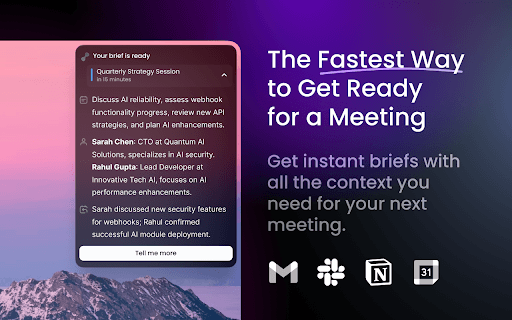
timeOS AI functions as an intelligent calendar assistant that automates note-taking during meetings across platforms like Google Meet, Slack Huddles, Zoom, and Microsoft Teams, without needing bots. It records or uploads meeting audio, analyzes conversations with personalized AI, and generates organized, structured notes. These notes and related tasks are seamlessly integrated into tools such as Notion, Google Docs, ClickUp, and Asana. Additionally, timeOS can attend meetings on your behalf, providing timely reminders and summaries to keep you informed and productive.
How to Use
Install the timeOS Chrome extension. During a Google Meet, click "Summarize" to capture meeting notes. Upload recordings of in-person meetings for analysis. Connect your preferred apps like Notion, Google Docs, ClickUp, and Asana for automatic task organization. Press ⌘+E to quickly access your calendar and meeting notes from any web page.
Features
- Automatically attends meetings using AI
- Seamless integration with productivity platforms
- Records and uploads meetings for analysis
- Provides time-sensitive reminders
- Generates automated meeting notes
- Summarizes meetings with AI and extracts tasks
Use Cases
- Receive timely reminders to join meetings punctually
- Automatically generate notes during Google Meet sessions without inviting bots
- Organize meeting tasks directly into Asana, Notion, or ClickUp
- Let AI attend meetings on your behalf and provide summaries
- Upload recordings of in-person meetings to capture notes
Best For
Pros
- Saves time by automating note-taking and task organization
- Integrates smoothly with key productivity tools
- Provides intelligent, time-aware reminders
- Delivers AI-generated meeting summaries
- Enables hands-free meeting attendance via AI
Cons
- Requires installation of a Chrome extension
- Initial setup needed to connect with preferred apps
- Meeting audio quality can affect accuracy