

Today's Task- Your Best To-Do List Extention For Chrome
A powerful Chrome extension designed to streamline your daily task management with ease and efficiency.
About Today's Task- Your Best To-Do List Extention For Chrome
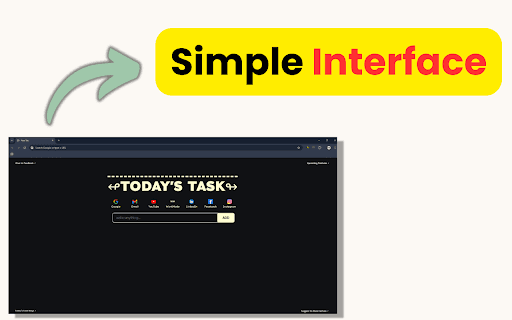
Today's Task is a user-friendly Chrome extension that helps you manage daily tasks efficiently. With a clean interface, intelligent features, and seamless browser integration, it’s ideal for students, professionals, and multitaskers. Easily add, organize, and edit tasks, set personalized reminders, prioritize your workload, and access your to-do list directly from your browser for maximum productivity.
How to Use
Install Today's Task from the Chrome Web Store and pin it to your toolbar. Click the icon, enter your task, and select “Add.” Rearrange tasks by dragging or edit them as needed. Mark tasks as complete to stay organized and on track.
Features
- Offline task access
- Simple, intuitive task management
- Browser-integrated workflow
- Custom reminder settings
- Task prioritization tools
Use Cases
- Tracking student assignments and study plans
- Scheduling family events and appointments
- Organizing personal goals and routines
- Managing work deadlines and project tasks
Best For
Busy ParentsStudentsProfessionalsFreelancersRemote Workers
Pros
- User-friendly interface for quick task management
- Customizable reminders to prevent missed deadlines
- Offline access ensures productivity anywhere
- Seamless Chrome browser integration
- Enhances organization and boosts productivity
Cons
- Advanced features like task prioritization coming soon
- Cross-browser synchronization is still in development
FAQs
Is Today's Task free to use?
Yes, you can install and use Today's Task at no cost.
Can I access tasks offline?
Absolutely. You can view, edit, and complete tasks without an internet connection.
Does it sync across multiple devices?
Currently, it works within Chrome only, but cross-device syncing is a feature in development.
Is my data secure with this extension?
Yes, your data remains private and is never shared with third parties.
What popular to-do list apps complement this extension?
Popular alternatives include Todoist, Microsoft To Do, Google Tasks, Trello, and Asana.
Why should I use a digital to-do list?
Digital to-do lists improve productivity by providing clear task overviews, prioritization, and reminders.
How can I create an effective to-do list?
Break tasks into actionable steps, prioritize based on importance, categorize, and update regularly.
Should I choose a digital or paper to-do list?
It depends on your preference. Digital lists offer portability and features; paper lists are simple but less flexible.
What common mistakes should I avoid with to-do lists?
Avoid adding too many tasks, neglecting priorities, not updating regularly, and keeping tasks vague.
How do I prioritize tasks effectively?
Use methods like the Eisenhower Matrix, mark high-priority items, and tackle difficult tasks first.