

TTS Ebook Reader
A Chrome extension that transforms ebooks into audiobooks using Google Text-to-Speech technology, improving accessibility and convenience.
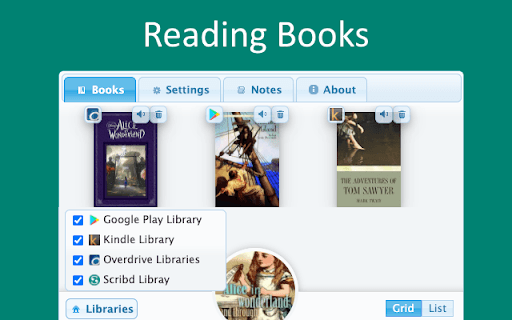
About TTS Ebook Reader
TTS Ebook Reader is a Chrome extension that leverages Google Text-to-Speech to convert ebooks into audiobooks. Compatible with popular platforms like Amazon Kindle, Google Play Books, Overdrive, Scribd, and Project Gutenberg, it enables users to listen to their ebooks seamlessly while reading. Enhance your reading experience with automatic page turns, highlighting, and customizable voice options.
How to Use
Install the TTS Ebook Reader Chrome extension. Navigate to a supported ebook site and open your ebook. Click the extension icon to activate listening. It will automatically turn pages and highlight the current sentence for a smooth listening experience.
Features
- Supports multiple languages and voice options
- Reads ebooks aloud via Google Text-to-Speech
- Customizable themes for comfortable reading
- Automatic page turning with sentence highlighting
- Adjustable speech speed, volume, and dialect
- Integrated media controls for easy management
Use Cases
- Listening to ebooks on supported platforms
- Assisting visually impaired readers
- Multitasking during reading sessions
- Enhancing reading accessibility for all
Best For
Pros
- Seamless integration with media controls
- Compatible with major ebook platforms
- Highly customizable reading options
- Transforms ebooks into high-quality audiobooks
Cons
- Relies on Google Text-to-Speech technology
- Full feature access requires subscription after trial
- Limited to supported ebook sources