

typemate.ai
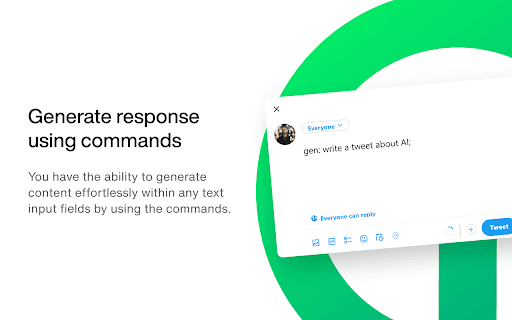
Easily access ChatGPT responses on any website with a quick shortcut, streamlining your text-related tasks seamlessly.
About typemate.ai
This innovative tool allows users to instantly access ChatGPT's responses on any website with a simple (Cmd/Ctrl)+I shortcut. Compatible with popular platforms like Google and Gmail, it enables quick, on-the-fly assistance for tasks such as composing, paraphrasing, summarizing, translating, and clarifying text. By integrating seamlessly into your browsing experience, it eliminates the need to switch between tabs, boosting productivity and streamlining workflows across over 10 million websites.
How to Use
Highlight the desired text on any webpage and press (Cmd/Ctrl)+I. ChatGPT will then generate a response to assist with writing, paraphrasing, translating, or summarizing the selected content.
Features
- Supports text composition, paraphrasing, summarization, translation, and clarification
- Quick access to ChatGPT responses across all websites with a keyboard shortcut
- Compatible with Google, Gmail, and over 10 million websites
Use Cases
- Compose emails or documents directly within your browser.
- Summarize articles or emails instantly without leaving the page.
- Translate text between languages instantly.
- Paraphrase content for clarity or to avoid plagiarism.
Best For
Pros
- Eliminates the need to switch between browser tabs or windows
- Provides instant access to ChatGPT’s capabilities on any website
- Supports a wide range of text-related tasks
- Integrates smoothly into your browsing workflow
Cons
- Requires an active internet connection for operation
- Full features may require a ChatGPT subscription
- Dependent on ChatGPT's accuracy and availability