

Typingmind in Sidepanel
A third-party Chrome extension that provides quick access to TypingMind AI via a convenient sidepanel interface.
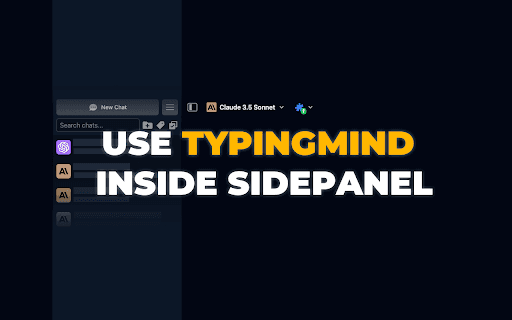
About Typingmind in Sidepanel
The TypingMind Chrome Extension offers seamless access to TypingMind AI by embedding it within a sidepanel in your Chrome browser. This unofficial tool allows users to interact with the AI directly without navigating away from their current webpage. Its simple iframe-based design ensures a non-intrusive experience focused solely on easy AI access.
How to Use
Download and install the extension from the Chrome Web Store. Click the extension icon to toggle the TypingMind sidepanel open or closed. Use the sidepanel to interact with TypingMind without leaving your current tab.
Features
- Embedded TypingMind via iframe
- Simple, non-intrusive design
- One-click toggle for quick access
- Integrates smoothly as a sidepanel
Use Cases
- Enhance focus by keeping TypingMind accessible during work.
- Quickly consult AI assistance while multitasking.
Best For
AI enthusiasts and researchersContent writersStudents leveraging AI toolsFrequent TypingMind usersProductivity-focused professionals
Pros
- Provides instant access to TypingMind AI
- Helps maintain an organized workspace
- Simple installation and user-friendly interface
- Non-intrusive with no data storage concerns
Cons
- Limited to displaying the TypingMind website
- Dependent on TypingMind’s website availability
- Unofficial extension without official support
FAQs
Is this extension officially affiliated with TypingMind?
No, it is an unofficial third-party extension and is not endorsed or supported by TypingMind.
Does this extension collect or store my personal data?
No, the extension only displays the TypingMind website within an iframe and does not process any personal data.
How do I activate and use the extension?
Install from the Chrome Web Store, then click the extension icon to toggle the TypingMind sidepanel on or off for quick access.