

U-Text
A Chrome extension that leverages ChatGPT to generate concise summaries of YouTube videos, enhancing quick content understanding.
About U-Text
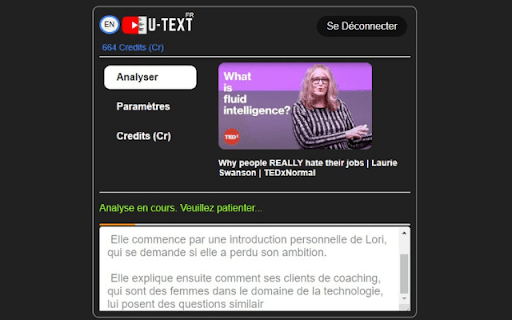
The YouTube Video Summarizer Chrome extension utilizes ChatGPT technology to automatically generate brief, accurate summaries of YouTube videos. This tool helps users quickly grasp the main ideas without watching entire videos, saving time and improving information retention.
How to Use
Install the Chrome extension, navigate to a YouTube video, and click the extension icon. ChatGPT will analyze the video and display a clear, concise summary in seconds.
Features
- Automatic text summaries of YouTube videos using ChatGPT
Use Cases
- Efficient review of diverse video content
- Quick comprehension of tutorials and lectures
- Stay updated with key points from online conferences
Best For
StudentsContent creatorsResearchersProfessionals seeking quick insightsLifelong learners
Pros
- Saves time by providing quick video summaries
- Seamlessly integrates with YouTube interface
- Simple activation for instant summaries
- Enhances understanding of video content rapidly
Cons
- Requires Chrome extension installation
- Does not replace full video viewing
- Summary quality varies with ChatGPT's analysis
FAQs
Does the extension alter or modify YouTube videos?
No, the extension only generates text summaries; it does not modify or interfere with the videos themselves.
How does the summarization process work?
The extension uses ChatGPT to analyze video content and produce a brief, accurate text summary for quick understanding.
Is the extension compatible with all YouTube videos?
Yes, it works with most publicly available YouTube videos for efficient summarization.
Can I customize the length of the summary?
Currently, the extension provides standard concise summaries, with customization options depending on updates.
Is the extension free to use?
The extension is available at no cost, but some features may require a ChatGPT API subscription or account.