

Udemy Summary with ChatGPT
Chrome extension that provides Udemy video summaries and note-taking features powered by ChatGPT.
About Udemy Summary with ChatGPT
NoteGPT is a Chrome extension designed to improve Udemy learning by generating concise video summaries and facilitating note-taking. Utilizing ChatGPT, it creates quick overviews of Udemy videos, enabling learners to grasp key concepts without watching entire lectures. The extension includes features like instant timestamps, auto-scrolling transcripts, and one-click copying of transcripts and summaries for efficient study.
How to Use
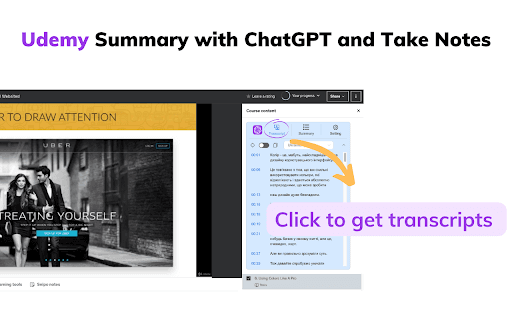
Access Udemy, select a course video, and click the 'Transcript & Summary' button. If subtitles are available, they will display. To generate a summary, ensure you're logged into chat.openai.com and click 'View Summary with ChatGPT.' You can then copy the generated content with the 'Copy' icon for easy reference.
Features
- One-click copying of transcripts and summaries
- Instant timestamps for smooth navigation
- Auto-scroll transcripts for continuous reading
- Customizable language, prompts, and text formats
- AI-powered Udemy video summaries with ChatGPT
Use Cases
- Summarize Udemy courses quickly to understand core concepts
- Copy summaries for creating effective study notes
- Navigate video transcripts effortlessly with timestamps
- Personalize output to match individual learning styles
Best For
Pros
- Highly customizable to suit user preferences
- Speeds up learning with AI-generated summaries
- Free to use with a ChatGPT account
- User-friendly interface for easy operation
- Enhances study efficiency with timestamps and auto-scroll
Cons
- Requires a ChatGPT account for full functionality
- May not perfectly process all Udemy videos
- Some users report occasional feature issues
- Summary accuracy depends on transcript quality