

Ultimate New Tab with Calendar and ChatGPT
A customizable Chrome new tab extension featuring productivity tools and AI integration for enhanced browsing experience.
About Ultimate New Tab with Calendar and ChatGPT
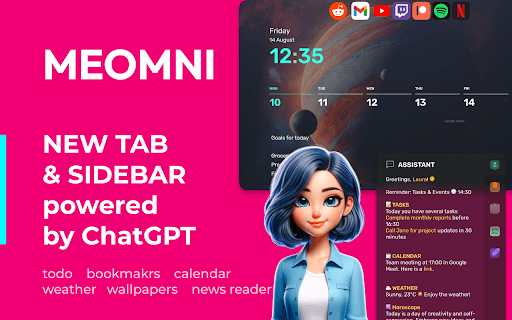
Nova Tab is a versatile Chrome extension that transforms your new tab page into a personalized productivity hub. It includes features like a customizable interface, integrated todo lists, calendar synchronization, weather updates, and AI-powered tools such as ChatGPT and Google Bard. Seamlessly connect with popular services like Google Tasks, Todoist, Outlook, and Google Calendar to streamline your daily workflow and stay organized.
How to Use
Download and install the Nova Tab extension from the Chrome Web Store. Upon installation, your new tab will automatically display the customizable interface, where you can set themes, add widgets, manage tasks, view calendars, and access AI assistants effortlessly.
Features
- RSS news feed reader for personalized updates
- Theme customization with wallpapers and color schemes
- Notes management with Google Keep integration
- Efficient bookmark organization
- Calendar synchronization with Google Calendar and Outlook
- Built-in Pomodoro timer for focused work sessions
- Access to ChatGPT and Google Bard AI assistants
- Task management supporting Google Tasks, Todoist, TickTick, Microsoft To-Do
- Fully customizable new tab layout
- Real-time weather updates for your location
Use Cases
- Sync Google Calendar to view upcoming events instantly.
- Utilize the Pomodoro timer to enhance productivity during work or study sessions.
- Personalize the new tab page with preferred themes and wallpapers.
- Access AI chat assistants like ChatGPT directly from your new tab for quick support.
- Manage daily tasks and track progress with integrated to-do lists.
Best For
Pros
- Efficient bookmark and note management
- Instant access to AI assistants for quick queries
- Highly customizable interface with themes and wallpapers
- Supports integration with leading productivity platforms
- Includes a built-in Pomodoro timer for focus
- Clean, minimalistic design with light and dark modes
Cons
- Initial setup required to configure integrations
- Dependent on external services like Google Tasks
- Feature-rich interface may be overwhelming for some users