

Unifill
AI-driven browser extension that automatically fills online forms for faster, more efficient browsing.
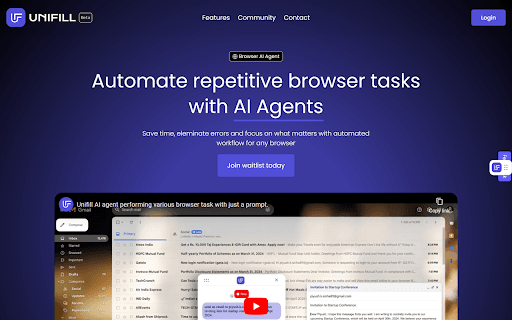
About Unifill
UniFill AI is an intelligent browser extension that leverages artificial intelligence to automatically complete online forms. It streamlines your browsing by saving time and minimizing manual data entry errors across various websites, from shopping carts to application forms, ensuring a smooth online experience.
How to Use
Download and install the UniFill AI extension. It will automatically detect form fields on visited websites and fill them according to your preferences. Customize settings for personalized automation.
Features
- Customizable form autofill options
- Secure data encryption and storage
- Works seamlessly across multiple websites
- Smart auto-filling for online forms
Use Cases
- Quickly completing registration forms
- Simplifying online shopping checkouts
- Efficiently filling out job applications
Best For
Students and learnersOnline shoppersJob applicantsFrequent form fillersBusy professionals
Pros
- Speeds up form completion with automation
- Offers personalized settings for better control
- Reduces errors in manual data entry
- Ensures data security through encryption
Cons
- Dependent on AI accuracy for form filling
- Requires trust in data security measures
- May face compatibility issues with certain websites
FAQs
How does UniFill AI protect my personal data?
UniFill AI encrypts your data and stores it securely to maintain your privacy and safety.
Can UniFill AI work on all websites?
Yes, UniFill AI is designed to operate smoothly across a wide variety of websites for effortless form submission.
Is it easy to customize the autofill settings?
Absolutely. You can easily customize how UniFill AI fills forms to suit your preferences.
Does UniFill AI improve online shopping experience?
Yes, it streamlines checkout processes by automatically filling shipping and payment details.
What are the main benefits of using UniFill AI?
It saves time, reduces errors, enhances security, and provides a seamless browsing experience.