

useBase
A Chrome extension designed to facilitate interaction with useBase collections and leverage AI for data analysis.
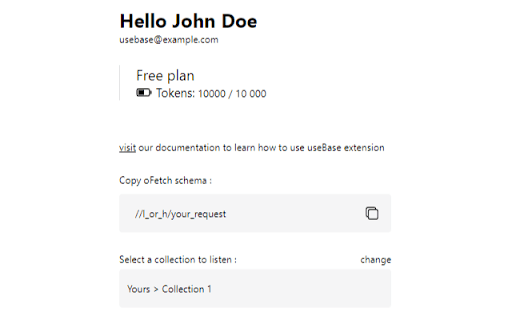
About useBase
The useBase Chrome extension enables users with a useBase account to manage their collections directly from any web page. It allows posting selected text to collections and using AI-powered commands to fetch and analyze data. The extension also features a light/dark mode for user convenience.
How to Use
Install the useBase Chrome extension. Log in with your account, then select text on any webpage to add it to your collections. Use simple commands in input fields to retrieve and analyze data with AI capabilities.
Features
- Switch between light and dark mode for comfort
- AI-driven data fetching and analysis
- Manage useBase collections directly from any web page
- Post data easily through text selection
Use Cases
- Using commands to fetch and analyze collection data with AI
- Selecting and posting website text to useBase collections
Best For
ResearchersWeb developersContent creatorsData managersData analysts
Pros
- Effortless data posting via text selection
- Advanced AI data analysis features
- User-friendly light/dark mode
- Seamless integration with useBase accounts
Cons
- AI analysis quality depends on data accuracy
- Limited to useBase collection management
- Requires an active useBase account
FAQs
What is the useBase Chrome extension?
It allows useBase users to interact with their collections directly from any webpage, post data by selecting text, and perform AI-powered data analysis.
How can I add data to my collections with the extension?
Simply highlight text on a webpage, and the extension will enable you to upload it to your useBase collections easily.
Is AI data analysis available through the extension?
Yes, you can execute commands in input fields to retrieve and analyze collection data using AI technology.
Do I need a useBase account to use this extension?
Yes, a useBase account is required to access collection management and AI analysis features.
Can I customize the extension's appearance?
Yes, the extension offers a light and dark mode switch for personalized user comfort.