

Motion
An AI-powered all-in-one productivity app that consolidates tasks, projects, calendars, and more to enhance work efficiency.
About Motion
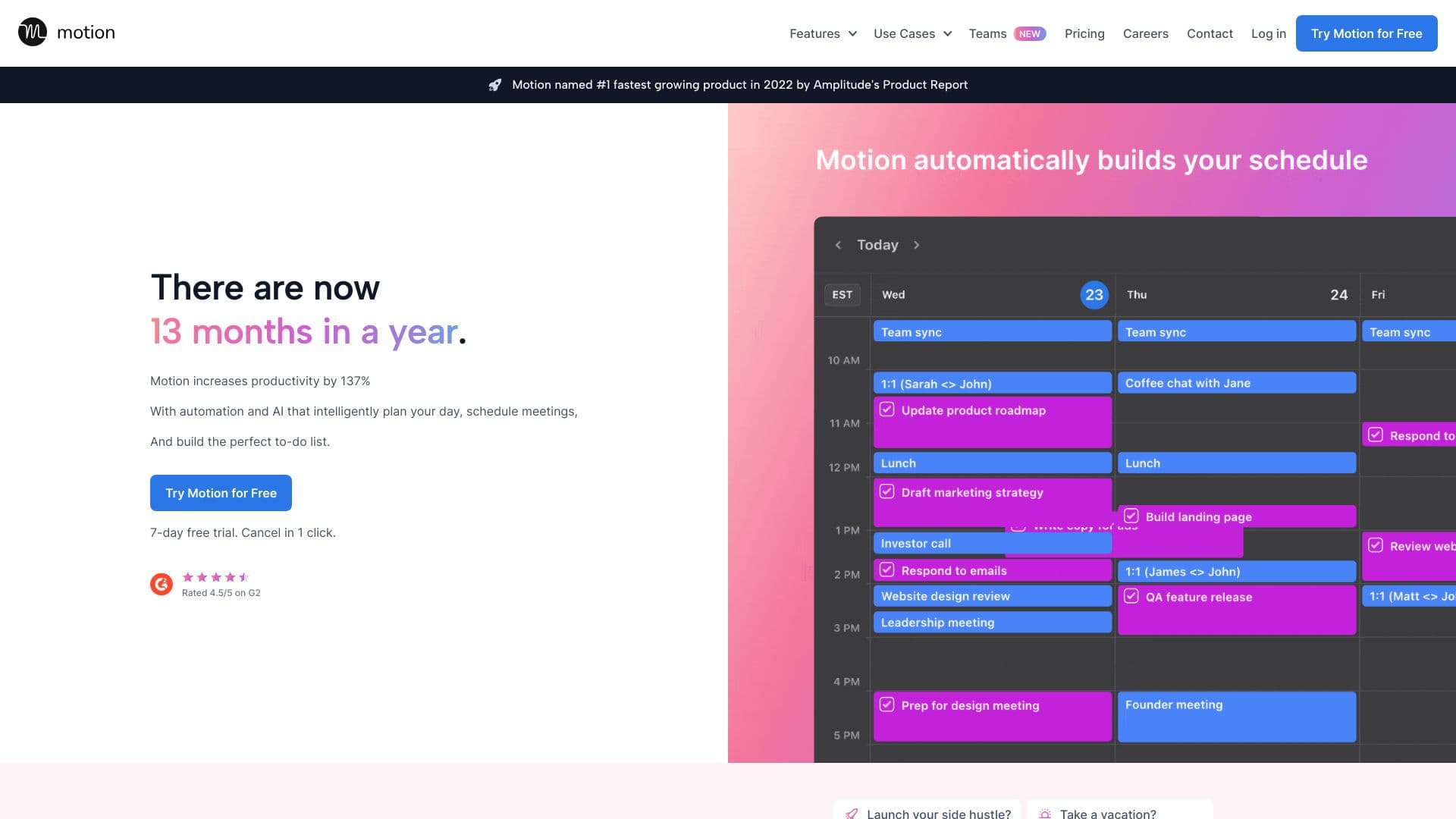
Motion is an intelligent super app designed to streamline work processes by integrating project management, task organization, calendar scheduling, meeting notes, and document handling into a single platform. Its AI-driven features automate planning, prioritization, and collaboration, significantly boosting productivity and reducing repetitive tasks and interruptions.
How to Use
Motion unifies various work tools into one easy-to-use platform. Users can create projects, assign tasks, schedule meetings, and manage documents effortlessly. Its AI features automate planning, task prioritization, and note-taking, improving workflow efficiency and reducing manual effort.
Features
- AI-Powered Project Management
- Intelligent Task Scheduler
- AI-Driven Business Analytics
- Personal AI Assistants (Agents)
- Smart Calendar Assistant
- Workflow Automation Builder
- Document Assistance with AI
- Automated Meeting Note-Taking
Use Cases
- Automating workflows based on standard operating procedures
- Creating real-time business analytics dashboards
- Capturing meeting notes and assigning action items automatically
- Prioritizing and scheduling tasks with AI support
- Drafting and organizing documents using AI tools
- Developing personalized AI assistants for various tasks
- Managing projects and tracking progress with AI assistance
Best For
Pros
- All-in-one platform for diverse work tools
- Extensive features for project, task, and document management
- Boosts productivity and saves time
- AI automation reduces manual effort
- Fosters seamless team collaboration
Cons
- Integration needed with existing tools for full functionality
- Dependence on AI may limit user control in some areas
- Pricing might be a barrier for small teams or individuals
- Learning curve for new users
Pricing Plans
Choose the perfect plan. All plans include 24/7 support.
Pro AI
Includes AI task planning, project management, calendar scheduling, meeting notes, documents, AI writing tools, workflow automation, advanced search, AI assistants, integrations, unlimited AI usage, unlimited storage, mobile and desktop apps, priority support.
Get StartedBusiness AI
All features of Pro AI, plus productivity analytics, team capacity planning, advanced dashboards, reporting, Gantt charts, time tracking, centralized billing, user permissions, and dedicated business support.
Get StartedBusiness
Includes all Pro features plus AI-assisted project planning, delivery prediction, Gantt and timeline views, multi-layered pivot tables, dashboards, team capacity management, external sharing, SOP templates, meeting scheduling integrations, API and Slack connectivity, activity history, unlimited workflows, templates, custom fields, 50 GB storage, and priority support.
Get StartedBusiness Plus
Enhances Business plan with advanced analytics, extensive scheduling options, unlimited activity history, manual backups, security reports, premium support, and early access to new features.
Get StartedEnterprise
Comprehensive enterprise solution with all Business Plus features, plus security reports, extensive integrations, API support, advanced dashboards, unlimited AI usage and storage, role-based access, external document sharing, single sign-on, dedicated support, and ongoing project management assistance.
Get Started