

Videozen: Screen and Camera Recorder
VideoZen is a comprehensive video creation and editing platform that leverages AI technology, including ChatGPT, for enhanced recording and editing capabilities.
About Videozen: Screen and Camera Recorder
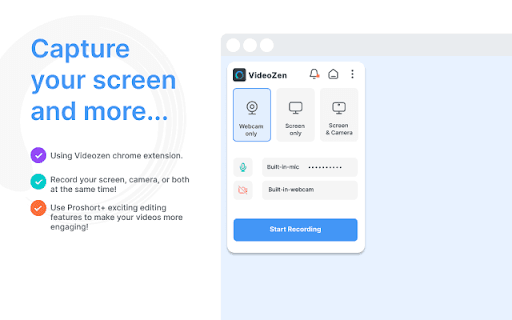
VideoZen offers an advanced platform for creating and editing videos with AI-powered features. It supports recording your screen, specific browser tabs, or webcam footage in high definition. Users can include audio from microphones or internal sources. Videos can be stored locally or uploaded to the cloud, downloaded as MP4 files, and instantly shared via links with integrations for platforms like Jira, Slack, and GitHub. The platform also provides robust editing tools to refine your videos effortlessly.
How to Use
Select your recording mode—screen, tab, or webcam—and configure audio inputs. Record your video, then save it locally or upload it to the cloud. Use the built-in editing tools to enhance your video before sharing the link via integrated platforms like Jira or Slack.
Features
- Seamless sharing through generated links
- Built-in editing tools for quick adjustments
- Flexible recording options: screen, tab, or camera
- AI-powered features to streamline video production
Use Cases
- Create training videos for teams
- Record product demos and walkthroughs
- Capture virtual meetings for documentation
- Develop engaging sales presentations
- Provide technical support via recorded sessions
- Showcase design processes and insights
- Create website or app tutorials
Best For
Pros
- Integrated video editing features
- Multiple recording modes for versatility
- AI-powered video creation and editing tools
- Quick sharing with direct link generation
- Platform integrations with Jira, Slack, and GitHub
Cons
- Dependent on internet connection for cloud features
- Subscription may be required for full access
- Limited details on AI feature scope