

Visily - App UI Capture & Design
AI-driven tool that transforms app screenshots into fully editable Visily wireframes, streamlining the UI design process.
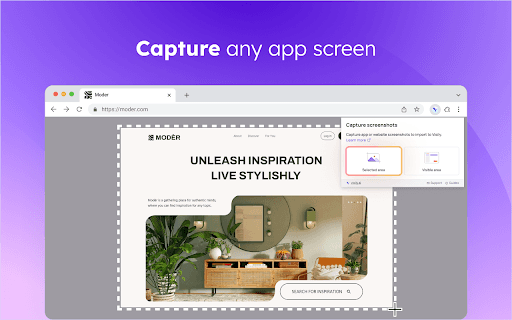
About Visily - App UI Capture & Design
The Visily Companion Extension leverages artificial intelligence to help non-designers convert app screenshots into customizable wireframes within Visily. Users can easily import images from any application, transforming them into editable prototypes that accelerate UI development and inspire design ideas.
How to Use
1. Sign up for a Visily account. 2. Capture screenshots from any app or website. 3. Import the images into Visily as editable wireframes or static images to start designing immediately.
Features
- Access a curated collection of UI inspiration
- Convert app screenshots into editable wireframes
- Modernize and enhance legacy app interfaces
Use Cases
- Collect and organize inspiring UI designs within Visily for easy access.
- Jumpstart new projects by using UI concepts from platforms like Dribbble or Behance.
- Update and improve outdated app interfaces through screenshot capture and editing.
Best For
UX/UI designersProduct managersBusiness analystsDevelopersNon-design professionals
Pros
- Seamless integration with the Visily platform
- Rapidly converts screenshots into editable wireframes
- Supports UI modernization and inspiration collection
- Simplifies UI design for users without extensive design experience
Cons
- May need additional customization after conversion
- Requires a Visily account to operate
- Effectiveness depends on screenshot quality
FAQs
How do I start using the Visily Companion Extension?
Create a free Visily account at https://app.visily.ai/signup, then capture app screenshots from any source and import them into Visily as images or editable wireframes.
Can I provide feedback on the extension?
Yes, you can share your feedback by emailing support@visily.ai for assistance or suggestions.
What types of screenshots can I import?
You can import screenshots from any application, website, or device for conversion into wireframes or static images.
Is the extension suitable for non-designers?
Absolutely. The tool is designed to simplify UI design, making it accessible for non-design professionals and beginners.
Does the tool support UI modernization?
Yes, it enables users to capture and update legacy app interfaces, giving them a fresh, modern look.