

Voiceboost - ChatGPT
Chrome extension enabling voice-controlled interactions with ChatGPT for seamless communication.
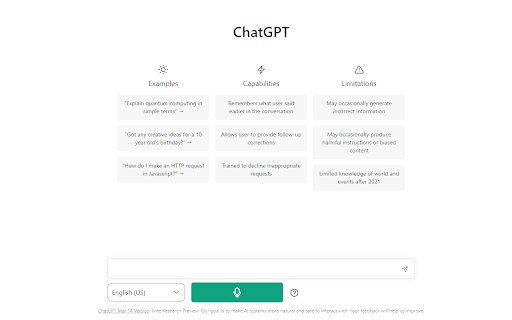
About Voiceboost - ChatGPT
Voiceboost is a powerful Chrome extension that transforms how users interact with ChatGPT by enabling voice commands. With an intuitive button below the input area, users can easily speak their questions, which are then transcribed and sent to ChatGPT for instant responses. This feature provides a convenient hands-free alternative to typing, enhancing productivity and accessibility.
How to Use
Click the extension's voice button below the input box to start recording your voice. Alternatively, use keyboard shortcuts: Ctrl+Shift+S (Windows) or Command+Shift+S (Mac) to begin recording, and Ctrl+Shift+E (Windows) or Command+Shift+E (Mac) to stop recording and send your query. Ensure microphone access is granted when prompted for optimal performance.
Features
- Keyboard shortcuts for quick voice recording and submission
- Seamless voice input integration with ChatGPT
Use Cases
- Dictating questions and prompts to ChatGPT
- Engaging in hands-free AI conversations
- Assisting users with mobility challenges
- Enhancing productivity through voice commands
Best For
Pros
- Enables hands-free ChatGPT conversations
- User-friendly with simple buttons and shortcuts
- Provides a convenient alternative to typing
Cons
- Requires microphone access permission
- Dependent on clear pronunciation for accuracy
- Performance affected by microphone quality and background noise