

Whoz
Enhance your talent sourcing with the Whoz LinkedIn Extension, enabling seamless profile capture and automatic addition to your talent pool.
About Whoz
The Whoz LinkedIn Extension simplifies talent acquisition by allowing users to capture LinkedIn profiles effortlessly and automatically add them to the Whoz talent pool. It streamlines sourcing workflows with AI-powered features like expertise detection, relevance scoring, interview annotations, and profile enrichment, making recruitment faster and more efficient.
How to Use
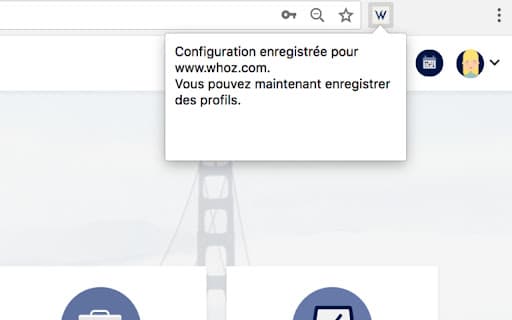
1. Install the Whoz LinkedIn Extension. 2. Log into your Whoz account and access your workspace at https://www.whoz.com/workspace/. 3. Click the extension icon to confirm setup. 4. Browse LinkedIn profiles, click the extension icon, and the profile will be added to your talent pool with a confirmation message.
Features
- Tracks recruitment processes directly within Whoz
- Automatically captures LinkedIn profiles into your database
- Enables interview annotations for candidate evaluations
- Utilizes AI to assess profile relevance and skills
- Detects candidate expertise and key skills using AI
Use Cases
- Rapidly add promising LinkedIn candidates to your talent pool for evaluation and hiring.
Best For
Pros
- Utilizes AI to identify skills and evaluate profile relevance efficiently.
- Reduces time spent on manual profile entry and sourcing.
- Centralizes candidate data within Whoz for better recruitment management.
- Supports collaborative interview feedback and annotations.
Cons
- Dependent on Whoz platform and its AI capabilities.
- Requires an active Whoz subscription and account.
- Limited to LinkedIn profile integration.