

Work with gpt- ChatGPT based InstantPrompt
A versatile Chrome extension that provides seamless access to Claude AI, offering content summarization and AI-powered writing across various websites.
About Work with gpt- ChatGPT based InstantPrompt
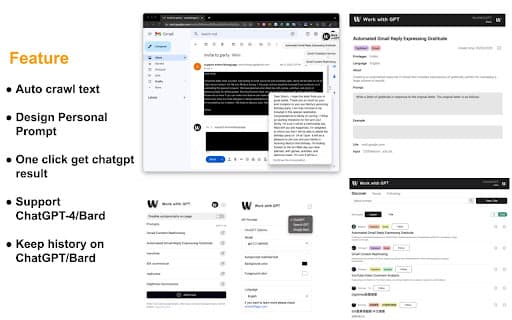
WorkWithGPT is a powerful Chrome extension featuring Claude AI, enabling free access to AI writing, webpage summarization, and prompt management across multiple platforms. It integrates seamlessly with Google Search, Gmail, Twitter, LinkedIn, and over 10 million websites, enhancing your productivity. Users can save and pin prompts for future use, making repetitive tasks more efficient and accessible on any compatible webpage.
How to Use
Install the Chrome extension, create a free account, and pin prompts via the provided link. The extension activates automatically on compatible sites—simply click the button to generate AI responses or summaries.
Features
- Save and automate prompts for quick access
- Summarize web pages and content efficiently
- AI writing support for Gmail, Twitter, and LinkedIn
- Integrate Claude AI responses directly within Google Search
- Universal Claude AI integration on all websites
Use Cases
- Automate repetitive tasks with saved prompts
- Access Claude AI responses directly in search results
- Create engaging social media content on Twitter and LinkedIn
- Summarize articles, blogs, and web pages
- Draft and reply to emails efficiently
Best For
Pros
- Easily store and manage prompts for automation
- Save time with quick summaries and AI-generated content
- Ensure data privacy with secure transcriptions
- Access Claude AI effortlessly across multiple platforms
- Use the extension for free
Cons
- Requires Google Chrome browser
- Account registration needed for full features
- Functionality may vary depending on website compatibility