

WProofreader Secure Grammar Checker
A robust, multi-language grammar and spell checker extension powered by advanced AI technology, ensuring secure and accurate writing assistance.
About WProofreader Secure Grammar Checker
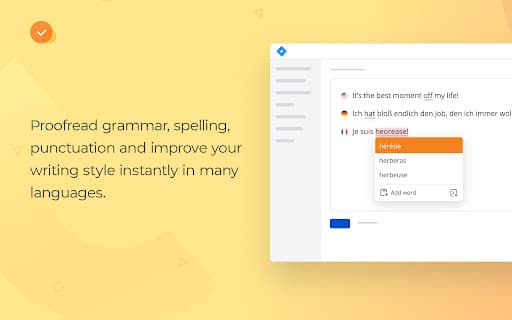
WProofreader is a secure, multi-language grammar and spell checking extension that leverages AI technology to enhance your writing. It offers flexible deployment options, including on-site hosting, private cloud for businesses, and shared cloud services. The tool detects and corrects spelling and grammar errors across multiple languages, featuring AI-powered checkers for English, German, and Spanish. It seamlessly integrates with Google Docs, checks for non-inclusive and profane language, provides spelling autocorrections, autocomplete suggestions, and customizable settings for a tailored proofreading experience.
How to Use
Install the WProofreader extension in your browser. Use it directly in applications like Gmail, social networks, forums, and Google Docs. The tool automatically detects language, identifies errors, suggests corrections, and allows customization to optimize your proofreading process.
Features
- Customizable proofreading settings
- Autocomplete suggestions for faster writing
- Seamless integration with Google Docs
- Multilingual grammar and spell checking
- Automatic language detection
- Detection of non-inclusive and profanity language
- Team collaboration capabilities
- Access to specialized dictionaries
- Spelling autocorrection for accuracy
- AI-powered grammar checks for English, German, and Spanish
- Secure on-premise deployment options
Use Cases
- Proofreading social media posts, emails, and online forums
- Checking multilingual content with automatic language detection
- Ensuring error-free documents in Google Docs
- Maintaining consistent style in business communications
- Filtering non-inclusive and profane language in English writing
Best For
Pros
- Supports multiple languages
- Compatible with various platforms and software
- Provides autocomplete suggestions
- Utilizes AI for advanced grammar checking
- Offers extensive customization options
- Supports secure on-premise deployment
- Detects non-inclusive and profane language
Cons
- Autocomplete currently available only for English dialects
- Some features may be limited in the free version
Pricing Plans
Choose the perfect plan. All plans include 24/7 support.
Business Plan
Options for on-site or private cloud hosting tailored for organizations.
Get Started