

Yooz - Free ChatGPT Writer
Free AI assistant designed for writing, content creation, and productivity enhancement.
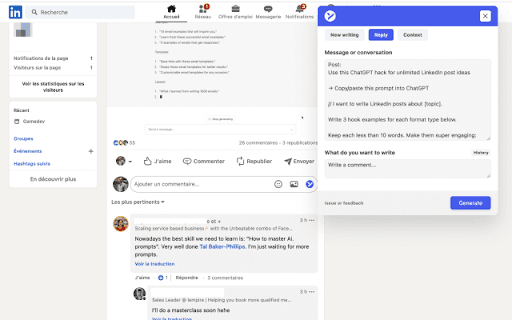
About Yooz - Free ChatGPT Writer
Yooz's ChatGPT Copilot is a free personal AI assistant that boosts productivity by helping craft messages, generate content, and streamline workflows. It seamlessly integrates with websites and apps like LinkedIn, Gmail, Outlook, and Slack to deliver context-aware writing support.
How to Use
Install the extension, open the popup, and activate AI features on any website. You can also connect your own OpenAI API key for customized performance.
Features
- Enhances code reviews on GitHub
- Provides text summarization, explanations, and translations
- Integrates smoothly with LinkedIn, Gmail, Outlook, and Slack
- Offers AI-based content writing assistance
Use Cases
- Composing messages and responses across platforms
- Creating engaging social media content
- Reviewing code changes on GitHub
Best For
Content creatorsSocial media managersDevelopersBusiness communicatorsEmail marketers
Pros
- Completely free to use
- Supports content generation and summarization
- Integrates with popular communication platforms
- Multilingual support
Cons
- High demand may cause occasional errors
- Requires installation of the browser extension
- May need an OpenAI API key for stable operation
FAQs
How do I get started with ChatGPT Copilot?
Install the extension and open the popup to access AI features on any website you visit.
What should I do if I face errors?
Retry later, as high demand can cause issues. Using your own OpenAI API key can improve stability.
Is GPT-4 supported by ChatGPT Copilot?
Yes, GPT-4 compatibility is available out of the box.
Can I customize the AI's behavior?
Yes, you can connect your own OpenAI API key for tailored performance and advanced features.
Does the tool work on mobile devices?
Currently, it is optimized for desktop browsers with extension support.