

YouTalk
An interactive Q&A tool for YouTube videos that delivers instant answers and relevant content snippets.
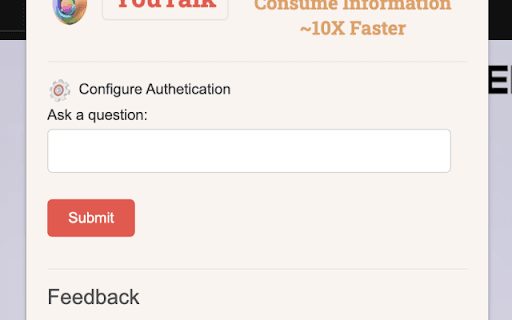
About YouTalk
YouTalk is a cutting-edge Chrome extension designed to enhance your YouTube experience by enabling interactive engagement with videos. Ask questions directly about the video content and receive instant, accurate answers along with relevant snippets. This tool simplifies finding key information, eliminating the need for endless scrolling or rewinding, and puts answers at your fingertips.
How to Use
Install the YouTalk Chrome extension. While watching YouTube videos, type or speak your questions. The extension analyzes the video content and delivers precise answers and related snippets in real-time.
Features
- Supports voice commands for hands-free interaction
- Utilizes advanced AI to extract relevant video content
- Provides quick access to pertinent YouTube snippets
- Enables asking questions directly within videos for instant answers
Use Cases
- Quickly find specific answers within educational videos
- Easily locate key information in tutorials without rewinding
- Enhance your learning by interacting with documentaries and informational videos
Best For
StudentsEducatorsResearchersProfessionals seeking quick insightsAnyone learning from YouTube videos
Pros
- Supports a wide range of video topics and types
- Saves time by providing instant answers and snippets
- Offers seamless voice interaction
- Improves learning through interactive Q&A features
Cons
- Requires Chrome browser for full functionality
- Performance may vary based on video content and quality
- Dependent on AI accuracy for content extraction
FAQs
What is YouTalk?
YouTalk is a Chrome extension that enables you to ask questions about YouTube videos and receive instant, relevant answers along with content snippets.
How does YouTalk operate?
It uses advanced AI to analyze video content and provide accurate, real-time responses and snippets based on your questions.
Can I use voice commands with YouTalk?
Yes, YouTalk supports voice recognition, allowing hands-free interaction with videos.
Is YouTalk compatible with all browsers?
No, it requires the Chrome browser for optimal performance and full feature access.
What types of videos work best with YouTalk?
Educational, tutorial, and documentary videos are ideal for extracting relevant answers and snippets.