

YouTube Subtitle Loader
A Chrome extension that enables users to load and customize custom SRT subtitles for YouTube videos, enhancing viewing accessibility and personalization.
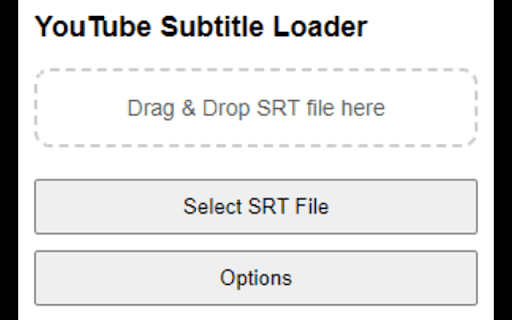
About YouTube Subtitle Loader
This browser extension allows users to upload their own SRT subtitle files for YouTube videos. Designed to fill the gap left by existing subtitle tools, it offers an intuitive interface to upload and personalize subtitles by adjusting size, color, and position, making videos more accessible and customizable.
How to Use
Open a YouTube video, click the extension icon in your browser toolbar, upload your SRT subtitle file, and enjoy customized subtitles.
Features
- Upload and display custom SRT subtitles on YouTube videos
- Compatible with YouTube's native video player
- Adjust subtitle size, color, and position for better visibility
- User-friendly interface for quick setup
Use Cases
- Enhance accessibility for videos with missing or inaccurate subtitles
- Support language learning with customized translated subtitles
- Personalize viewing experience with tailored subtitle styles
Best For
Language learnersContent creatorsDeaf and hard-of-hearing viewersVideo editorsResearchers
Pros
- Allows full customization of subtitle appearance
- No data collection or privacy concerns
- Supports uploading and displaying custom subtitles
- Simple, intuitive user interface
Cons
- Relies on YouTube's video player compatibility
- Limited to YouTube videos only
FAQs
What is this extension used for?
It enables uploading and displaying custom SRT subtitles on YouTube videos.
How do I add subtitles to a YouTube video?
Open the video, click the extension icon, upload your SRT file, and enjoy customized subtitles.
Does this extension collect user data?
No, it does not collect any user data or personal information.
Can I change subtitle appearance?
Yes, you can customize size, color, and position for optimal viewing.
Is this extension compatible with all YouTube videos?
It works with most videos, provided the YouTube player is supported.