

YouTube Summary with ChatGPT & Claude
Chrome extension that offers YouTube video summaries, note-taking, and screenshot capabilities using ChatGPT technology.
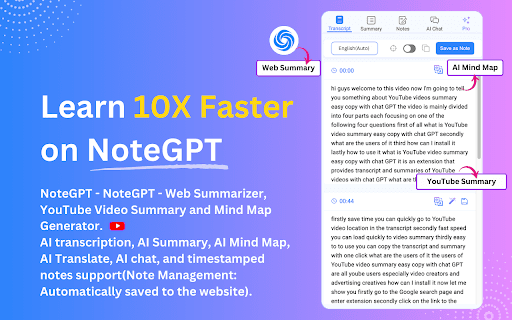
About YouTube Summary with ChatGPT & Claude
NoteGPT is a powerful Chrome extension that leverages ChatGPT to summarize YouTube videos, capture screenshots, and create timestamped notes. It helps users quickly grasp video content, save time, and enhance learning efficiency by providing AI-generated summaries and easy transcript access. Users can copy transcripts, generate video summaries, and save information from YouTube and chat.openai.com pages for better content management.
How to Use
Open any YouTube video and access the transcript through the Transcript tab. Generate an on-page video summary in the Summary tab using your OpenAI API key or via the ChatGPT Web App. Use the Copy icon to save transcripts and summaries. Store your API key in Settings for instant on-page summaries. Take screenshots and jot down notes in the Notes tab while watching videos for efficient learning.
Features
- Integration with OpenAI API for AI summaries
- Automatic video summaries generated by AI
- Access to full transcripts
- Timestamped notes and screenshot capture
- Organized notes management system
Use Cases
- Taking educational notes and screenshots
- Quickly grasp YouTube video content without watching full videos
- Creating summaries for research or content planning
Best For
Pros
- Reduces viewing time with instant video summaries
- Supports effective learning with timestamped notes and screenshots
- Compatible with ChatGPT Web App and OpenAI API keys
- User-friendly interface with easy transcript and summary access
- Includes a comprehensive notes management feature
Cons
- Potential introduction of a paywall in the future
- Requires a ChatGPT/OpenAI account for AI-powered summaries